

- Description
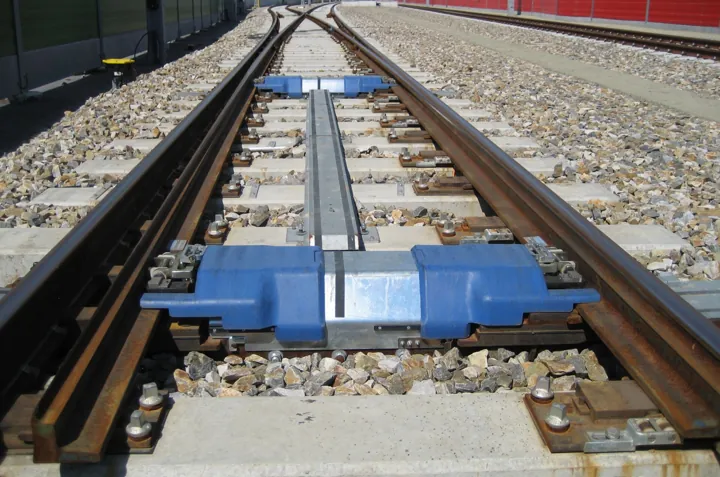
- Aiguillage ferroviaire vu de près, où la voie se sépare en deux.
- Source
- Xunil · original page
- Licence
- PD Public domain
 Git vs TFVC: compare, migrate, coexist
Compare Git and TFVC with ratings and context, without dogma.
In brief
- Compare Git and TFVC in a rated and contextualized way, without dogma.
- Choose based on scenarios (team, repository, permission constraints, binaries, audit, CI).
- Understand TFVC → Git migration paths with or without history, the tools (
git-tfs,git-tf, Azure DevOps import) and their limits. - Describe coexistence of a local Git repository on top of an official TFVC repository, and its risks.
- Have a step-by-step migration plan and a list of pitfalls.
Prerequisites: Git In Depth, TFVC in Depth.
Level: 🟡→🔴
Two philosophies#
🟡 Practical level
| Dimension | TFVC | Git |
|---|---|---|
| Architecture | Centralized: source of truth server | Distributed: complete repository everywhere |
| Recording unit | Server changeset | Local commit (then push) |
| Identifier | Sequential number | Hash |
| Branch | Server folder (heavy, coordinated object) | Lightweight pointer |
| Locking | Possible (checkout lock) | Not native (file locking via Git LFS) |
| Code review | Visual Studio review, shelvesets | Pull requests, branch policies |
| Permissions | By path (down to file level) | By repository or by branch |
TFVC thinks “the server knows”; Git thinks “history is a graph that everyone owns.” This reversal explains most migration difficulties: no more checkout, a commit is not a check-in, branching becomes ordinary, history can be rewritten locally.
Equivalent vocabulary and actions#
🟡 Practical level
| Action | TFVC (tf) |
Git |
|---|---|---|
| Retrieve | tf get |
git pull (= fetch + merge/rebase) |
| Edit | tf checkout (server workspace) |
nothing: just edit |
| Save | tf checkin |
git add + git commit then git push |
| Undo | tf undo |
git restore / git reset |
| History | tf history |
git log |
| Set aside | tf shelve |
git stash (local) or pushed branch |
| Branch | tf branch |
git switch -c |
| Merge | tf merge |
git merge / git rebase |
| Label | tf label |
git tag |
| Ignore | .tfignore |
.gitignore |
| Who changed it | Annotate (Visual Studio; no tf command) |
git blame |
| Link to a ticket | Check-in dialog (Visual Studio), or tf checkin -associate:123 (Team Explorer Everywhere client) |
#123 in the message (Azure Repos), AB#123 (GitHub connected to Azure Boards), or link in PR |
The #1 mental pitfall: “a commit is not a check-in.” A check-in publishes; a commit is a local save. Nothing is shared until you run git push. So teach two distinct rituals.
Rated comparison#
🟡 Practical level
Expert ratings out of 5. Context: team of 5 to 30 developers, SQL + Power BI + scripts project, repository of a few GB, Azure DevOps (Server or Services), deliveries by product versions. Contextual assessments (see RATING).
| Criterion | Git | TFVC | Justification |
|---|---|---|---|
| Learning curve | 2/5 | 4/5 | Git exposes index, rebase, HEAD; TFVC is linear |
| Performance on large repositories | 3/5 | 4/5 | Git: partial clone/Scalar required; TFVC: partial mapping |
| Branches / merges | 5/5 | 3/5 | Trivial branches, graph-based merge vs branch = folder |
| Traceability / audit | 4/5 | 4/5 | Signable commits / numbered changesets linked to work items |
| Permission granularity | 2/5 | 5/5 | Path vs repository |
| Binary / large files | 2/5 | 4/5 | LFS required vs native |
| CI/CD integration | 5/5 | 3/5 | YAML pipelines triggered by PR vs classic builds |
| Code review | 5/5 | 2/5 | Pull requests and policies vs occasional review |
| SQL/BI fit | 4/5 | 3/5 | Diff and merge of TMDL/JSON through PR vs no structured review |
| Offline work | 5/5 | 2/5 | Complete repository vs server dependency |
| Ecosystem longevity | 5/5 | 2/5 | Investment vs “feature complete” |
| Skills availability | 5/5 | 2/5 | Job market, training |
| Transition cost | n/a | n/a | See migration plan |
How to read: Git clearly wins on “ecosystem” dimensions (CI, review, AI, hiring, longevity); TFVC keeps the edge on path-based permissions, binaries, simplicity. Neither wins everywhere, and an average score would be misleading: weight based on your constraints.
Scenarios#
🟡 Practical level
| Scenario | Recommendation | Why |
|---|---|---|
| New data/BI project in 2026 | Git | Microsoft default, ecosystem, text-based PBIP/TMDL |
| 8-person team, stable TFVC repository, package-based deliveries, little CI | Stay on TFVC, prepare for the future (coexistence, migrated policies) | Not enough immediate gain |
| 25-person team, need for systematic reviews and validation pipeline | Migrate to Git | PR and branch policies |
| Contractors with restricted folder-level permissions | TFVC, or multiple Git repositories | Path permissions vs decomposition |
| Huge binaries (assets, sample databases) | TFVC/Perforce, or Git + disciplined LFS | Storage/clone cost |
| Regulatory history to keep for 10 years | Keep TFVC read-only + Git going forward | Keep the archive without risky migration |
| Maintenance of 4 product versions in parallel | Git (release branches) or TFVC (release folders) | See 05 |
| Training juniors, hiring | Git | Expected skill |
| Strong dependency on Visual Studio and “all-Microsoft on-prem” | Git on Azure DevOps Server | Same platform, different engine |
Should you migrate#
🔴 Expert level
Migrating has a cost: training, tooling, risks to history and work item links, disruption of habits. Legitimate triggers:
- Need for tooled code review (pull requests, policies) to raise quality.
- Need for modern CI/CD on every change.
- Longevity: moving away from a frozen engine (see 03).
- Hiring and upskilling.
- Use of development AI native to Git platforms.
- Need for low-cost task branches.
Non-triggers: “Git is trendy,” “others are doing it,” one dev annoyed by a single command. Measure: conflict frequency, review duration, delivery lead time, onboarding. A team with no review practice under TFVC will not suddenly have one under Git.
Migrating the tool without migrating practices: you get TFVC, but worse (giant commits, force-push, eternal branches). Plan training, branch conventions (05) and protections.
Migration options#
🔴 Expert level
| Option | Description | History | Effort | Risk |
|---|---|---|---|---|
| Tip migration (snapshot) | Import the latest version into a new Git repository; old TFVC is kept read-only | None (or reference to original changeset) | 1/5 | Low: loss of accessible history, but archived |
| Migration with history | Replay changesets as commits | Complete (or last N months) | 3-4/5 | Medium: author mapping, branches, renames |
| Partial migration | Import only certain branches/folders | Selective | 2-3/5 | Medium |
| Hybrid approach | TFVC archive in read-only mode; Git starts at a given changeset | Both separate | 2/5 | Low, but two sources to know |
Microsoft recommends “tip” migration, with at most limited history (native import tool caps at 180 days): full history is hard to replay faithfully and rarely consulted.
Keep the TFVC repository read-only during the regulatory period; in the first Git commit, include a reference (“imported from TFVC $/Projet/Main, changeset 45815”), and in release notes include number mappings.
Key structuring decisions:
- Branches: one TFVC branch = one folder; dead branches should be ignored. Often you migrate Main + live release branches.
- Authors: mapping table
DOMAIN\name→Name <email>. - Work items: links to changesets become obsolete; you can keep numbers in migrated commit messages for search.
- Labels: become tags (if imported); verify they do not mix versions.
- Large files: sort them out (LFS? move out of repository?).
- Encodings/line endings: normalize before import (06); otherwise the entire history appears “modified” in the first normalization commit.
Tools#
🔴 Expert level
| Tool | Type | Strengths | Limitations |
|---|---|---|---|
| Import Git Azure DevOps (Repos > Import) | Native platform feature, “Migrate history” option | No tool to install; snapshot or N days of history; suited for “tip” | History capped at 180 days; imported repository limited to 1 GB; only one branch (or the root) per import |
| git-tfs (community project) | Bidirectional bridge git tfs clone/fetch/checkin |
Full history, local Git work with TFVC check-in, branches | Depends on installed TFVC client (Team Explorer or Visual Studio); no longer actively maintained; Windows |
| git-tf (Microsoft) | Legacy Java tool from Microsoft | Clone TFVC → Git | No new version since 2013 (latest version 2.0.3, intended for TFS 2010 to 2013); avoid for new projects |
In-house scripts (tf history → git fast-import) |
Custom conversion | Total control (mapping, filtering, normalization) | Effort, maintenance; reserved for specific cases |
| Commercial tools (e.g., migration vendor offerings) | Third-party services/tools | Support | Cost; evaluate with a pilot |
Example use of git-tfs (Windows workstation, Visual Studio/Team Explorer installed):
# Full history of a branch
git tfs clone https://tfs.exemple.local/tfs/Collection $/Projet/Main D:\Migration\Main --branches=none
# Partial history: starting from a changeset
git tfs clone https://tfs.exemple.local/tfs/Collection $/Projet/Main D:\Migration\Main --changeset=45000
# Authors
git tfs clone ... --authors=auteurs.txt
# Cleanup before publishing: remove git-tfs-id metadata if not desired
git filter-repo --message-callback "..."   # as needed
git remote add origin https://dev.azure.com/org/projet/_git/mon-produit
git push -u origin --all
Limits of the native import feature: history limited to 180 days, imported repository limited to 1 GB, one branch per import. Symptom: import rejected for an oversized repository (or truncated history). Cause: feature limits. Fix: clean up and reduce first, or use git-tfs, or migrate as “tip.”
Coexistence of local Git and official TFVC#
🔴 Expert level
Common situation: the organization requires TFVC as the official archive (builds, audit), but the team wants Git benefits at its own scale: frequent commits, branches, stash, bisect, blame, AI tools. Practical solution: a local git repository with no remote in the same folder as the TFVC workspace.
How it works:
- Work and commit in local Git during the day (atomic commits, fine-grained history).
- At milestones (end of task, end of day), archive in TFVC:
tf addnew files,tf checkinwith a link to the work item. - The two histories coexist: Git is the fine draft, TFVC is the official truth.
Rules to make it sustainable:
- Two aligned exclusion lists:
.gitignoreand.tfignore; a file ignored by one must be ignored by the other (except deliberate cases). See 03. .gitfolder excluded from TFVC (never add it to source control) and internal TFVC files ($tf,.tf) excluded from Git.- Line endings and encoding normalized the same way on both sides (
.gitattributes+ TFVC convention), otherwise every round trip causes noisy diffs. - Dates and authors: the TFVC commit does not carry over Git history; keep meaningful check-in comments, because that's what audits will see.
- Read-only permission in TFVC workspace: in a server workspace, after
tf get, files are read-only and requiretf checkoutbefore Git can modify them. In a local workspace, files remain editable: edits are detected automatically, andtf reconcile /promoteturns additions/deletions made outside Visual Studio into pending changes. - Single write direction: never automatically “sync” TFVC → Git → TFVC without rules; the safest approach is
tf getthengit add -A && git commit(“what TFVC delivered to me”), then work, then check-in.
| Criterion | Rating /5 | Justification |
|---|---|---|
| Daily comfort gain | 4/5 | Local commits, stash, bisect |
| Risk of divergence between the two | 3/5 | Depends on discipline |
| Value for a future migration | 4/5 | Fine Git history already available, but local |
| Backup | 2/5 | Local Git history exists in only one place: workstation backup or internal mirror repository |
The local Git repository with no remote is not backed up anywhere: disk loss = loss of fine-grained commits. Fix: regular git bundle or mirror to a private internal repository (outside TFS); or simply archive the .git folder.
A fix on a consolidation procedure: three local Git commits (“join fix,” “add validation,” “partial test”) then one TFVC changeset linked to the task: “Consolidation coverage fix.” The audit sees one clean changeset; the developer keeps fine granularity for bisect if the regression returns.
Step-by-step migration plan#
🔴 Expert level
Typical plan for a team of 10-20 people, over 6 to 12 weeks (orders of magnitude, depends on size and preparation):
1. Scope (1 week) — Decide: migrate what (Main only? + releases?), with what history, for what measurable benefits. Inventory: collection size, large files, active branches, policies, builds, work item links. Sponsor identified.
2. Prepare (2-3 weeks) — Clean the repository (binaries, caches, duplicates). Normalize encodings and line endings. Write .gitattributes, .gitignore, branch/message conventions, branch policies (PR, validation build). Build the author mapping table. Secure permissions (groups, split repositories if folder-based permissions).
3. Pilot (2 weeks) — Migrate a non-critical scope (or a copy of production) with the selected tool; compare content to the reference changeset (file list + checksums) to prove fidelity; replay a full delivery (installable package) from the Git repository; measure clone, status, build.
4. Train (continuous) — one 3-hour hands-on session: simplified object model, daily cycle, PR, conflict resolution; TFVC→Git cheat sheet (equivalences); one “Git champion” per team.
5. Switch (1 weekend or 1 quiet day) — Freeze TFVC (read-only permissions), final migration, verification (files, tags, a few sensitive files opened manually), update pipelines, hooks, documentation, links. Clear communication: “starting Monday, commit here.”
6. Consolidate (4 weeks) — Close support, retrospective, metrics (conflicts, review duration, lead time), remove old workspaces, archive TFVC (read-only, retained).
Success criteria: all current product versions can be rebuilt from Git; build pipeline is green; nobody commits to TFVC anymore; team is autonomous on routine operations.
Plan a rollback: as long as TFVC is not frozen, migration is reversible; after freeze, keep the TFVC source intact for 3 to 6 months.
Migration pitfalls#
🔴 Expert level
| Pitfall | Symptom | Cause | Fix |
|---|---|---|---|
| Late normalization | First Git commit “changes everything” | Encoding/line endings not unified | Normalize before, or isolate in a dedicated commit |
| Corrupted accents | “é” in labels | UTF-8 files reread as ANSI, or BOM lost | Automated byte-level checks; see 06 |
| “Ghost” history | Weird additions/deletions | Branch by copy in TFVC | Migrate from a clean point |
| Path casing breaks | Duplicates on Linux | TFVC is case-insensitive | Detect collisions beforehand |
| Dead work item links | No changeset in the task | TFVC numbers lost | Keep numbers in messages |
| Forgotten large binaries | Multi-GB clone | Full history imported | LFS, filters, or tip |
| Team in “TFVC in Git” mode | Force-push, giant commits | No training | Branch protections + training |
| Unadapted pipelines | Broken builds | TFVC triggers | Rewrite in YAML, test on branch |
| Folder-level permissions lost | Contractor sees everything | Git does not handle them | Separate repositories |
| Internal scripts forgotten | Archiving tool calls tf |
Hidden dependencies | Script inventory (PowerShell, hooks, builds) |
AI’s Contribution#
Useful at several stages of a migration, dangerous if judgment is delegated.
| Use case | Benefit | Risk | Maturity | Prerequisites | Guardrails |
|---|---|---|---|---|---|
Generate the author mapping table from tf history |
3/5 | 2/5 | 4/5 | tf history export |
HR/owner validation |
| Write conversion/check scripts (tree comparison, totals) | 4/5 | 3/5 | 4/5 | Clear specification | Pilot on a copy, systematic comparison |
Draft .gitattributes / .gitignore |
4/5 | 2/5 | 4/5 | List of file types | Test on a sample (accents, CRLF) |
| Generate the TFVC→Git guide and training materials | 4/5 | 1/5 | 4/5 | Team context | Technical review |
| Explain converted history, detect anomalies | 3/5 | 3/5 | 3/5 | Targeted excerpts | Do not conclude without verification in the tool |
| Assisted code review after cutover | 3/5 | 3/5 | 3/5 | PR policies | The human remains the reviewer in charge |
Typical prompt: “Here is a detailed tf history excerpt. Produce a CSV tfs_account;name;email without inventing any address: leave blank if unknown.” AI does not replace the decision to migrate, the fidelity verification (checksums), or accountability for archive compliance. See AI in Planning and Version Control Tools.
See also#
- Overview · Git · TFVC · Branching Strategies · SQL and BI
- Azure DevOps Server (ex-TFS) in Depth · Comparison of Planning Tools
- Matrix: Version Control and Branches
- CI/CD for data: foundations, datamarts, pipelines, and reports · Glossary
✻ Written by Claude Sonnet 5.5
