

- Description
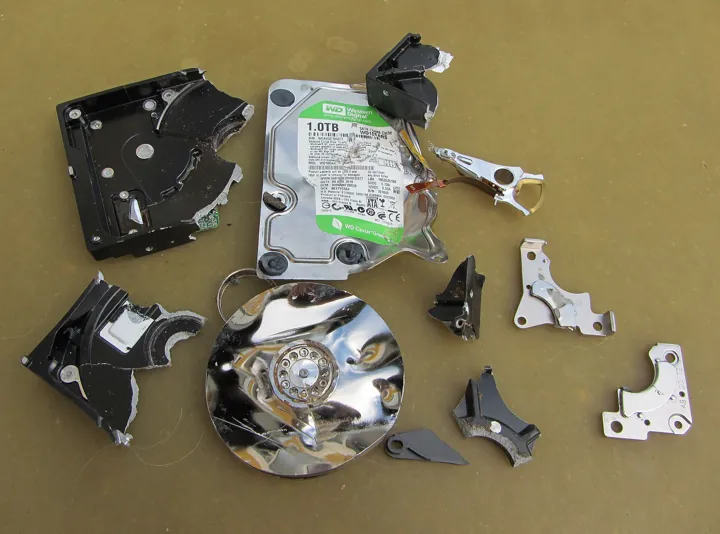
- Disque dur éventré dont le plateau et les pièces mécaniques gisent en morceaux.
- Source
- Stefan Bellini · original page
- Licence
- CC0 Public domain
 SQL Server in SaaS — difficulties and pitfalls
You will learn to recognize the failure families in an Azure SQL → Power BI pipeline: performance (DirectQuery, DTU), measurement (elasticity), network, identity, service limits, model, language…
In brief
- You will learn to recognize the failure families in an Azure SQL → Power BI pipeline: performance (DirectQuery, DTU), measurement (elasticity), network, identity, service limits, model, language, time, security, cost.
- You will have a catalog of 39 pitfalls with symptom, cause, and remedy, classified by family, and a 6-step diagnostic protocol.
- You will learn to distinguish a database, model, or service problem before touching anything.
- Framework: overview; mechanisms: architecture; diagnostic AI: 08.
On this page
- Diagnostic protocol
- Performance: DirectQuery, locks, DTU
- Elasticity and performance measurement
- Network, Firewall, and Connection
- Identities and Tokens
- Refresh Service Limits
- Model Size and Licensing
- Compatibility and Features
- Collation, accents, and multilingual
- Time zones and dates
- RLS and back-filtering
- Costs
- Data, deployment, and governance
- Summary Catalog of the 39 Pitfalls
- Ratings /5: risk by family
- See also
Level: 🟢→🔴
Diagnostic protocol#
🟢 Novice — Where to look first?#
When “the report is slow” or “refresh failed,” three layers are candidates. Do not change anything until you have located the layer.
- The report / visual — Power BI Desktop Performance Analyzer separates DAX time, query time (DirectQuery), and rendering time.
- The model — size, cardinality, relationships, heavy measures (tools: DAX Studio, VertiPaq Analyzer).
- The source — Query Store,
sys.dm_exec_requests, resources (sys.dm_db_resource_stats).
🟡 Practical — The six steps#
| # | Step | Question | Tool |
|---|---|---|---|
| 1 | Reproduce | Is it always, or only at certain times/users? | Refresh log, history |
| 2 | Locate | Report, model, source, network, identity? | Performance Analyzer, logs |
| 3 | Measure | CPU, logical reads, dominant wait | Query Store, sys.dm_exec_session_wait_stats |
| 4 | Compare | What changed (model, volume, service tier, plan)? | Git history, Query Store, activity log |
| 5 | Fix in the right place | Source > model > report | See catalog |
| 6 | Lock it down | Test, alert, documentation | BI matrix Operations, Monitoring, and Capacity |
An incident without an identifiable change is almost always due to data growth (volume crossing a threshold: memory, size limit, different plan) or an expiration (token, password, certificate, application secret).
Performance: DirectQuery, locks, DTU#
🟡 Practical — Slow DirectQuery and locks#
DirectQuery generates one or more SQL queries per visual, for every interaction (filter, slicer, drill-through). A page with 10 visuals = 10 to 30 simultaneous queries per user. With 100 users, the database must absorb thousands of queries per minute, with on-the-fly aggregations.
Slowness mechanisms:
- Complex views in the exposure layer: multiple joins, scalar functions, disguised
DISTINCT. - Non-sargable predicates produced by DAX measures (type conversions, functions on columns).
- No columnstore on large fact tables; rowstore + aggregates on hundreds of millions of rows.
- Locks: concurrent DirectQuery reads collide with consolidation writes. Under standard
READ COMMITTEDisolation on Azure SQL, reads use row versioning by default (READ_COMMITTED_SNAPSHOTenabled by default on Azure SQL Database), which avoids most reader/writer blocking but coststempdb/version store and does not protect against schema locks (Sch-M) during aDROP/ALTER, aTRUNCATE, or a partition switch. NOLOCKeverywhere: avoids blocking but allows dirty reads (duplicates or missing rows during load). Acceptable only on tables loaded by atomic switch-over.
· Symptom: DirectQuery visuals freeze for a few minutes at night. Cause: TRUNCATE/DROP/ALTER or SWITCH takes a Sch-M lock, which all read queries wait on. Remedy: load into a staging table then do a short atomic SWITCH or rename; maintenance window; or disable DirectQuery during consolidation (Import model, or read replica).
· Symptom: CPU at 100% at 9 AM, drops around 10 AM. Cause: all users open the same DirectQuery page; no cache. Remedy: Import aggregations, fewer visuals per page, “reduce the number of queries” option (slicers applied via button), Premium/Fabric capacity query cache.
· Symptom: “the result set exceeds the row limit” (on the order of 1 million rows on shared capacity; adjustable in Premium depending on settings). Cause: unaggregated table/matrix visual. Remedy: aggregate, filter upstream, paginate with table visual limited detail.
🟡 Practical — Saturated DTU/vCore#
Symptoms: waiting queries, high RESOURCE_SEMAPHORE, LOG_RATE_GOVERNOR, SOS_SCHEDULER_YIELD, timeout errors (Timeout expired), sustained CPU > 90 %, or log governor capping consolidation writes.
· Symptom: slow consolidation while CPU is at 30%. Cause: transaction log write throughput is capped by the service tier (wait LOG_RATE_GOVERNOR). Remedy: reduce logged volume (batch loads, columnstore, INSERT ... SELECT into a new table), reduce indexes to maintain, or temporarily scale up.
⚠️ Pitfall 5 — A single huge UPDATE · Symptom: giant transaction, full log, very long rollbacks. Cause: updating tens of millions of rows in one go. Remedy: process in batches (50,000 to 500,000 rows) with checkpoints; prefer INSERT into a new table + SWITCH.
· Symptom: inconsistent performance with no code change. Cause: another database in the pool consumes the budget. Remedy: min/max limits per database, separate critical databases, or move the database out of the pool.
Elasticity and performance measurement#
🟡 Practical — Why stopwatches lie#
On Azure SQL, three factors make timing vary: shared hardware (neighbors on the same physical resource, pools), cache (cold first run vs afterward), and plan (changing statistics or compatibility). On shared development environments, execution-to-execution gaps on the order of ×2 are plausible.
Honest measurement protocol:
- Fix the service tier and compatibility level, and write them down.
- Measure CPU time and logical reads (
SET STATISTICS TIME, IO ONor Query Store), not wall-clock time alone. - Alternate A/B/A/B variants (never A then B, never in parallel on the same resource).
- Repeat ≥ 5 times; keep the median and spread.
- Measure cold and warm separately.
· Symptom: “optimization gained 40%” then disappears in acceptance testing. Cause: environment variability, warm cache. Remedy: protocol above; success criterion expressed in CPU and reads.
· Symptom: first morning refresh fails or takes longer. Cause: database resume (on the order of a minute); connection timeout exceeded. Remedy: disable pause for production (or long pause delay), “wake” the database with a lightweight query before refresh, retry tolerance in the pipeline.
· Symptom: connection drops for a few seconds. Cause: a service-tier change flips connections at the end of the operation. Remedy: outside peak hours; reconnect strategy with retry in pipelines; avoid changes during refresh.
Network, Firewall, and Connection#
🟡 Practical — Typical Network Failures#
· Symptom: Desktop OK, service KO (“client with IP address … is not allowed”). Cause: the user’s IP is allowed, not the service. Fix: allow “Azure services” (broad) or targeted ranges, or private endpoint + virtual network gateway; check the service tag PowerBI.
· Symptom: the server name resolves to a public IP from the corporate network, which is denied. Cause: private DNS zone privatelink.database.windows.net not linked to the network. Fix: link the zone to the VNet, or use conditional forwarders; test with nslookup from the gateway machine.
· Symptom: all refreshes for a domain fail at the same time. Cause: gateway on a single stopped VM, update, certificate issue. Fix: gateway cluster (≥ 2 nodes), monitoring, scheduled updates; or managed virtual network gateway.
· Symptom: Timeout expired on connection or execution. Cause: paused database, worker saturation, query too long. Fix: increase command timeout in the source if legitimate, but above all fix the root cause; distinguish connection timeout (network/pause) from command timeout (query).
· Symptom: gateway installed but “offline.” Cause: outbound ports (HTTPS, Service Bus) blocked by the corporate firewall. Fix: open the documented destinations (current list to check in the official gateway documentation).
Identities and Tokens#
🟡 Practical — Identity Failures#
· Symptom: refresh suddenly starts failing overnight (“invalid credentials”). Cause: SQL password renewed, service account disabled, Entra app secret expired. Fix: service account without surprise expiration or, better, service principal/managed identity with planned rotation and D-30 alerting.
· Symptom: Login failed for user '<token-identified principal>'. Cause: the database did not create the external user (CREATE USER [x] FROM EXTERNAL PROVIDER), or the Entra admin is not set on the server, or the token does not have the correct audience. Fix: set the Entra admin; create the user in every database; grant roles; verify the tenant.
· Symptom: all users see the same data, SQL RLS is not applied. Cause: the model source uses the owner’s identity instead of “Entra ID Single Sign-On for DirectQuery queries.” Fix: enable the option in source settings; test with two accounts with different permissions.
· Symptom: API calls (refresh, deployment) return 401/403. Cause: service principals were not authorized at the tenant level (admin setting) or do not have a role on the workspace. Fix: dedicated authorized security group in the admin portal, Member/Contributor role on the workspace.
· Symptom: refresh fails after multi-factor authentication is enabled. Cause: a “technical” user account became subject to conditional access. Fix: no more user accounts for automations; service identities with appropriate conditional access policies.
· Symptom: a datamart setup kit “succeeds” but did not create some objects. Cause: insufficient permissions (not database owner) or errors hidden by a tool that returns 0. Fix: grant db_owner to the deployment account on target databases, run the kit with stop-on-first-error and check logs, not just return code.
Refresh Service Limits#
🟡 Practical — Count, Duration, Concurrency#
Reference points (status 2026-10, verify on the official page): 8 scheduled refreshes per day on shared capacity (Pro), up to 48 on Premium/Fabric; 2 h maximum on shared, 5 h on dedicated; concurrency limited by capacity (queue beyond that).
· Symptom: refreshes pending then failing, insufficient memory. Cause: N models scheduled at the same time on one capacity. Fix: stagger, limit parallelization, refresh by partitions; monitor the capacity metrics app.
· Symptom: users want “real time” while 8 refreshes/day is the maximum. Cause: poorly framed requirement. Fix: clarify the actually useful freshness; hybrid table, or targeted DirectQuery, or Direct Lake via mirroring.
· Symptom: same duration as a full refresh. Cause: Power Query step that breaks query folding (non-translatable functions, step order), or RangeStart/RangeEnd parameters applied incorrectly. Fix: check native query; do date filtering as the first step; use a SQL view.
· Symptom: incorrect historical numbers despite a fix in the database. Cause: incremental policy does not refresh older periods. Fix: targeted partition refresh (enhanced XMLA/API) or “change detection” on a last-modified column; documented historical recovery procedure.
Model Size and Licensing#
🟡 Practical — Limits and Licensing#
Orders of magnitude (to be verified): ~1 GB per model with Pro license, tens of GB possible on dedicated capacity with large model format (limit = memory in the reference). Memory is also used during refresh: an 8 GB model may require ~16 GB during a full refresh (existing copy + new one).
· Symptom: memory error during refresh, even though the model “fits” for reading. Cause: temporary doubling of memory. Fix: incremental, remove high-cardinality columns (identifiers, second-level timestamps), split date/time, aggregations, or larger capacity.
· Symptom: coworkers cannot see the report. Cause: without dedicated capacity (or depending on Fabric/Premium license), the reader must have a Pro/Premium Per User license; with sufficient capacity, readers may be “free” (depending on the reference). Fix: map readers/authors and choose the licensing model; see Cost, Licensing, and Capacity.
Compatibility and Features#
🔴 Expert — Compatibility Level and Behaviors#
The compatibility level of an Azure SQL database (130, 140, 150, 160, 170 depending on engine evolution — verify current status) determines query processing features. Examples: scalar UDF inlining is only available starting at level 150; batch mode on rowstore and memory grant feedback also arrive with recent levels; cardinality estimation changes at 120/140+.
· Symptom: a view calling a scalar UDF is significantly slower in DirectQuery (sometimes by an order of magnitude). Cause: compatibility level 130: no inlining, row-by-row execution, and non-parallel plan. Fix: raise the level (after regression testing, Query Store as safety net), or unfold the function in the query (joins or CASE), or convert it to an inline table-valued function.
· Symptom: some queries regress after moving to a higher level. Cause: new cardinality estimator. Fix: enable Query Store in read/write mode first; move to target level; compare; force previous plan for rare regressions; automatic tuning FORCE_LAST_GOOD_PLAN.
· Symptom: the report loads the entire table before filtering. Cause: M functions with no SQL equivalent (Text.Proper, some conversions) break folding. Fix: transform in SQL (view), or keep non-foldable transformations after foldable steps.
In a kit-based deployment environment, keep one compatibility level version per environment in code (ALTER DATABASE ... SET COMPATIBILITY_LEVEL) and test low before high.
Collation, accents, and multilingual#
🟡 Practical — Language breaks silently#
- Collation determines sorting, comparison, and encoding of
varcharcolumns. A non-UTF-8 collation stores characters outside the code page as?. - A multilingual model (labels translated at the model metadata level: cultures, table/column/measure translations) relies on correct text in the database (no mojibake).
- Script files SQL/PowerShell containing accented characters must remain in UTF-8 with BOM to be read correctly by SSMS,
sqlcmd, and PowerShell 5.1; UTF-8 without BOM is misread by SSMS/PowerShell 5.1; cp1252 is lost bysqlcmdin UTF-8.
· Symptom: “Opération” instead of “Opération.” Cause: a UTF-8 file read as cp1252 (or vice versa) during installation or import. Fix: standardize script encoding (UTF-8 with BOM), explicitly specify encoding in tools, test with an accented “sentinel” label during acceptance testing.
· Symptom: “Café” and “Cafe” grouped together, or duplicate keys rejected. Cause: AI collation. Fix: accent-sensitive collation for business labels; differentiate behavior by column (COLLATE) rather than by database.
· Symptom: label order differs between an SQL query and the visual. Cause: model sorting follows its own culture/collation, independent from the database. Fix: an explicit sort column (sort number) for labels that matter (months, statuses), rather than relying on alphabetical order.
Time zones and dates#
🟡 Practical — Time is a tricky dimension#
Azure SQL Database runs in UTC; GETDATE() returns UTC time. Timestamps from a field application are often in the device's local time, sometimes without a time zone. The Power BI service evaluates NOW()/TODAY() in UTC (unless explicitly calculated in M or DAX).
· Symptom: 11 p.m. visits appear the next day, or “today” is empty until 2 a.m. Cause: UTC vs local time; TODAY() in UTC. Fix: store UTC and local time (datetimeoffset or two columns); local date/time dimension calculated in the datamart; AT TIME ZONE 'Romance Standard Time' for conversion (handles daylight saving time); offset parameter in the model for “today” measures.
Other cases: the operating date of a consolidation must be a parameter (never GETDATE() in consolidation procedures) to replay a past day identically (idempotence). datetime does not have 1 ms precision but 3.33 ms; prefer datetime2.
RLS and back-filtering#
🔴 Expert — When a measure changes by role#
· Symptom: “number of distinct products” is 120 for a director and 45 for a salesperson, even though the catalog is identical. Cause: RLS filters a dimension; the filter propagates to facts then, via a bidirectional filter or securityFilteringBehavior, flows back to another dimension. Fix: limit propagation (single direction), calculate the measure on the dimension without going through facts, or document that the measure is scope-dependent; test each role.
Related pitfalls: (a) SQL RLS does not apply to an Import model; (b) model RLS does not protect access to the SQL endpoint (the two layers are not interchangeable); (c) a “super-user” must be modeled explicitly (role without filter), not by absence of a rule; (d) the security key (login) must be identical between the permissions table and USERPRINCIPALNAME().
Costs#
🟡 Practical — Where money leaks out#
- Always-on compute: a test environment at production level, 24/7.
- Serverless that never sleeps: a monitoring query every 5 minutes prevents pause.
- Storage and backups: long-term retention (LTR) and backup storage beyond included volume are billed.
- Double capacity: Power BI/Fabric + Azure SQL; frequent refresh costs on both sides.
- Network: cross-region data egress, gateways, private endpoints (cost per endpoint and per volume).
- No reservations: 1- or 3-year commitments (vCore reservations, savings plans) significantly reduce stable compute pricing (percentage depends on the offer, to be verified).
Tag each resource by environment and project, set Azure Cost Management budgets and alerts, monthly review. See Cost and Value Steering (Data FinOps).
A test database kept on General Purpose 8 vCore while used two days per month: switching to serverless (min 0.5 vCore, pause) brings compute cost down to a fraction (order of magnitude: up to 90% reduction possible, depending on activity durations), at the cost of resume time.
Data, deployment, and governance#
🟡 Practical — Other project pitfalls#
· Symptom: “Column X in table Y cannot be found” during refresh. Cause: renaming on the datamart side without adapting the model. Fix: exposure views with a stable contract; for any breaking change, add the new column, migrate the model, then remove the old one.
· Symptom: customer reports lose their visuals. Cause: the measure's internal identifier (lineageTag) changed. Fix: modify in place; if deletion is unavoidable, publish a breaking-change note.
· Symptom: everything works in testing, not in production. Cause: different data volume, permissions, network, or service level. Fix: acceptance testing environment with similar data volume, anonymized data; document differences; see Acceptance testing and business validation.
· Symptom: real customer data in development. Cause: production copy without anonymization. Fix: dynamic masking, anonymized datasets, restricted access; see Security, Privacy, Compliance.
· Symptom: a human error destroys a table, no one knows how to restore it. Cause: trust that “the cloud backs up everything.” Fix: point-in-time restore (PITR) tested once per quarter, documented retention, written procedure; reminder: backup does not replace deployment discipline.
Summary Catalog of the 39 Pitfalls#
The catalog below summarizes pitfalls numbered 1 to 39 above for quick reference. Order: estimated frequency × severity (expert assessment, context: enterprise reporting project on Azure SQL).
| # | Family | Symptom | Root cause | Short remedy | Severity |
|---|---|---|---|---|---|
| 1 | Perf | Visuals freeze at night | Schema lock (Sch-M) |
Staging table + SWITCH |
4/5 |
| 2 | Perf | CPU 100% at 9 AM | DirectQuery storm | Aggregations, fewer visuals | 3/5 |
| 3 | Perf | Row limit | Non-aggregated visual | Aggregate, filter | 2/5 |
| 4 | Perf | Slow writes, low CPU | Log cap | Batches, less logging | 4/5 |
| 5 | Perf | Log full | Huge UPDATE |
Batches, SWITCH |
4/5 |
| 6 | Perf | Instability | Pool neighbor | Limits, isolate | 3/5 |
| 7 | Measurement | Gains disappear | Variability | CPU/alternation protocol | 3/5 |
| 8 | Measurement | 1st refresh fails | Serverless paused | Disable pause / wake up | 3/5 |
| 9 | Measurement | Brief interruptions | Service tier change | Off-peak, reconnect | 2/5 |
| 10 | Network | Desktop OK, service fails | Server firewall | Ranges, private endpoint | 4/5 |
| 11 | Network | Public IP rejected | Private DNS | Link the zone | 3/5 |
| 12 | Network | All refreshes fail | Single gateway | Cluster, VNet gateway | 4/5 |
| 13 | Network | Timeout expired |
Pause/saturation | Distinguish connection/command | 3/5 |
| 14 | Network | Gateway offline | Outbound ports | Open destinations | 3/5 |
| 15 | Identity | Failure overnight | Expired credentials | Service principal, alert | 4/5 |
| 16 | Identity | token-identified principal |
Missing external user | CREATE USER ... FROM EXTERNAL PROVIDER |
3/5 |
| 17 | Identity | SQL RLS ignored | SSO not enabled | Enable DirectQuery SSO | 5/5 |
| 18 | Identity | 401/403 API | Unauthorized principal | Authorized group + role | 3/5 |
| 19 | Identity | Failure after MFA | Technical account | Service identities | 3/5 |
| 20 | Identity | Incomplete “successful” kit | Insufficient permissions | db_owner, read the logs |
4/5 |
| 21 | Limits | Refresh queue | Concurrency | Stagger, partition | 3/5 |
| 22 | Limits | “Real-time” required | Poorly defined need | Hybrid/Direct Lake | 3/5 |
| 23 | Limits | Incremental = full | Broken folding | SQL view, filter first | 4/5 |
| 24 | Limits | Wrong history | Frozen partition | Targeted refresh | 4/5 |
| 25 | Size | Out-of-memory error | Transient duplicate | Incremental, reduce columns | 4/5 |
| 26 | License | Readers without access | License/capacity | Map it out | 2/5 |
| 27 | Compat | UDF much slower | Level 130 | Raise / unfold | 4/5 |
| 28 | Compat | Plan regressions | New estimator | Query Store, forcing | 3/5 |
| 29 | Compat | Whole table loaded | Broken folding | SQL view | 3/5 |
| 30 | Language | Mojibake | File encoding | UTF-8 BOM, sentinel | 4/5 |
| 31 | Language | Unexpected grouping | AI collation |
Case-sensitive collation | 3/5 |
| 32 | Language | Different sorting | Model culture | Sort column | 2/5 |
| 33 | Time | Shifted data | UTC vs local | AT TIME ZONE, dual storage |
4/5 |
| 34 | RLS | Measure varies by role | Back-filtering | Single direction, role-by-role tests | 5/5 |
| 35 | Project | Column not found | Renaming | Stable-contract view | 4/5 |
| 36 | Project | Client reports broken | lineageTag | Edit in place | 5/5 |
| 37 | Project | OK in test, fails in prod | Non-representative environment | Production-like acceptance testing | 4/5 |
| 38 | Project | Real data in dev | No anonymization | Masking | 5/5 |
| 39 | Project | Restore impossible | No strategy | Tested PITR | 5/5 |
Turn this catalog into a review checklist before every production deployment: 11-checklist-de-projet-reporting.md.
Ratings /5: risk by family#
Expert assessments (5 = highest risk). Context: team of 3 to 8 people, Azure SQL + Power BI with mostly Import mode. See RATING.
| Family | Probability | Impact | Detectability (5 = hard to detect) | Comment |
|---|---|---|---|---|
| DirectQuery performance | 3/5 | 3/5 | 2/5 | Quickly visible, fixable through modeling |
| Misleading performance measurement | 4/5 | 2/5 | 4/5 | We “optimize” with no real effect |
| Network/firewall | 3/5 | 4/5 | 1/5 | Hard outage, fast diagnosis |
| Identity/tokens | 4/5 | 4/5 | 2/5 | Silent expiration |
| Refresh limits | 3/5 | 3/5 | 2/5 | Documented, can be anticipated |
| Size/memory | 2/5 | 4/5 | 3/5 | Slow growth then breakage |
| Compatibility/functions | 2/5 | 4/5 | 4/5 | Slowness without error |
| Language/encoding | 3/5 | 3/5 | 4/5 | Silent corruption |
| Time/time zones | 4/5 | 3/5 | 4/5 | Plausible but wrong numbers |
| RLS/back-filtering | 3/5 | 5/5 | 5/5 | Wrong numbers by profile, very subtle |
| Costs | 4/5 | 3/5 | 3/5 | Gradual drift |
AI excels at explaining an error message and suggesting a list of causes; it is less reliable at prioritizing the real cause in your context, and it may invent numeric limits. Safeguard: any limit or pricing value must be verified in the official documentation. See 08-sqlserver-saas-ia.md.
See also#
- overview · architecture · AI
- OneLake-side pitfalls · comparison · cross-cutting good practices · checklist
- BI Matrix: Testing and Reliability of Numbers · Accessibility and Multilingual · RLS Security and Access
- PD Matrix: Data Quality
- Glossary
✻ Written by Claude Sonnet 5.5
