

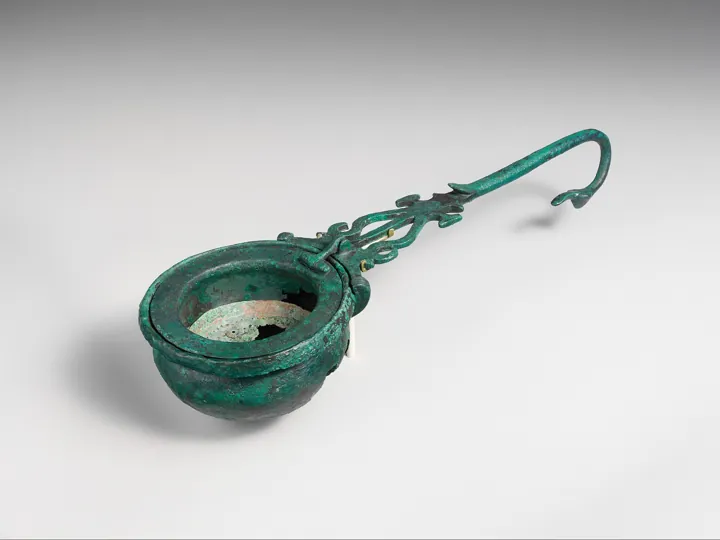
- Description
- Passoire ancienne en bronze à long manche : filtrer pour ne garder que le bon
- Source
- auteur non indiqué (Metropolitan Museum of Art) · original page
- Licence
- CC0 Public domain
 Data Quality
A wrong number published with confidence does more damage than a missing number: it becomes the basis for decisions and destroys trust in everything else. Yet most data defects…
Level: 🟢→🔴 · Theme code: QUA
Why this theme#
A wrong number published with confidence does more damage than a missing number: it becomes the basis for decisions and destroys trust in everything else. Yet most data defects are not born in the datamart: they come from field data entry, interfaces between applications, and business rules not being followed. Fixing downstream is a bottomless pit; measuring, assigning, and fixing at the source is the only durable treatment. This theme is about the measurement of quality and the commitment that follows from it, not code testing (see DL matrix — testing) nor number acceptance testing (UAT).
What this theme measures#
- Axis: from user-discovered errors to source-level prevention.
- Key indicator: compliance rate with quality thresholds for critical data and share of anomalies detected before the user.
- Unit: % of compliant checks; % of anomalies detected internally; average time to fix.
- Reference dimensions (common benchmarks, see DAMA-DMBOK and ISO/IEC 25012): accuracy, completeness, validity, uniqueness, consistency, freshness (currency); plus availability in data service commitments.
The five levels#
| Level | Short name | Promise | Typical indicator (order of magnitude) |
|---|---|---|---|
| 1 | Suffered | The user discovers errors; the fix comes after the complaint. | < 20% of anomalies detected internally |
| 2 | Controlled | The most serious errors are blocked or flagged at every load. | Basic checks on ≥ 50% of critical tables |
| 3 | Committed | Each critical data element has per-dimension thresholds and a service commitment (SLA) known to its consumers. | ≥ 80% of critical tables with thresholds; published freshness |
| 4 | Managed | Quality is tracked over time, root causes are addressed with the producer, and trends are corrected. | ≥ 90% of anomalies detected internally; recurrence < 10% |
| 5 | Preventive | Defects are prevented at data entry or interfaces, and drifts are predicted before impact. | Residual critical defects close to 0; quality debt paid off |
Milestones by level#
| ID | Milestone | Verifiable evidence |
|---|---|---|
| PD-QUA-1.1 | User-reported errors are logged. | Anomaly log with date, subject, impact. |
| PD-QUA-1.2 | Load failures are visible (viewable log). | Processing log with status and timestamp. |
| PD-QUA-1.3 | Anomalies are assigned a likely cause (entry, interface, rule, code). | “Cause” field filled in the log. |
| PD-QUA-1.4 | At least one manual check of totals between source and datamart is done for each release. | Comparison trace in the release note. |
| PD-QUA-2.1 | Basic automated checks exist: duplicate keys, disallowed null values, abnormal volumes. | Queries or tests run at each load, results archived. |
| PD-QUA-2.2 | Orphan foreign keys are counted and flagged. | Orphan report by fact table. |
| PD-QUA-2.3 | A failed load blocks publication or explicitly flags stale data. | Tested behavior: a failure does not silently pass partial data through. |
| PD-QUA-2.4 | The most costly defect in each domain is identified and treated first. | Top-5 defect list with plan. |
| PD-QUA-3.1 | Quality dimensions are defined for each critical data element, with thresholds (e.g., completeness ≥ 98%). | Quality sheet per critical table. |
| PD-QUA-3.2 | A data SLA is published: freshness (e.g., available before 7 a.m.), completeness, time to correction. | Written commitment accessible to consumers. |
| PD-QUA-3.3 | Source profiling precedes any new integration. | Profiling report attached to the scoping sheet (VAL). |
| PD-QUA-3.4 | Unknown values are handled through an explicit convention (“Unknown” member, no silent NULL). | Rule documented and checked in dimensions. |
| PD-QUA-4.1 | Quality indicators are historized and tracked over time. | Trend dashboard over ≥ 6 months. |
| PD-QUA-4.2 | Each recurring anomaly has a root-cause analysis and an action with the producer. | Root-cause sheets with source-side status. |
| PD-QUA-4.3 | ≥ 90% of anomalies are detected by the team before users. | Ratio calculated from the log over one quarter. |
| PD-QUA-4.4 | Thresholds are reviewed based on real impact (usage, affected decisions). | Threshold review report. |
| PD-QUA-5.1 | Checks at entry or interface level (validations, closed lists) reduce production defects. | Before/after measurement on one defect fixed at the source. |
| PD-QUA-5.2 | Drifts (volumes, distributions) are detected automatically before visible failure. | Drift alerts triggered on real cases. |
| PD-QUA-5.3 | A defect budget (equivalent of an error budget) arbitrates between shipping and fixing. | Written rule applied at least once. |
| PD-QUA-5.4 | Quality is a contractual criterion with producers (see CTR). | Quality thresholds present in data contracts. |
Detailed reading by level#
🟢 Level 1 — Suffered#
- Signs: “the number is wrong” comes by email; people patch it manually in the datamart; no one knows whether the error came back the following month.
- Benefit: nothing beyond responsiveness.
- Does not guarantee: that the same defect will not return every cycle.
- Difficulty: 1/5 · Effort: 1/5.
🟢 Level 2 — Controlled#
- Signs: control queries run at the end of loading; an orphan table fails or alerts; source/datamart totals are compared.
- Benefit: obvious errors no longer reach users.
- Does not guarantee: data meaning (a plausible but wrong value still passes).
- Difficulty: 2/5 · Effort: 2/5.
-- Basic check: orphan foreign keys from a fact table (T-SQL)
SELECT COUNT(*) AS NbOrphelins
FROM   [fact].[Releve]          AS R WITH (NOLOCK)
LEFT JOIN [dim].[PointDeVente]  AS P WITH (NOLOCK) ON P.PDV_ID = R.PDV_ID
WHERE  P.PDV_ID IS NULL;
-- Threshold: > 0 => flag ; > 0.5% of rows => block publication
🟡 Level 3 — Committed#
- Signs: one sheet per critical table; a displayed SLA (“loaded before 7 a.m., completeness ≥ 98%”); profiling is part of scoping.
- Benefit: the consumer knows what to expect; the team knows when it has failed.
- Does not guarantee: that thresholds are relevant or that the producer will fix issues.
- Difficulty: 3/5 · Effort: 3/5.
In a sales force application, 4% of records arrive without a valid store. At level 2, they are counted. At level 3, the threshold is “≤ 1% orphans” with an “Unknown” member in the dimension. At level 4, the root cause (offline entry with an outdated list) is fixed on the application side: the rate falls below 0.3%. It is the source-level correction that changes the order of magnitude.
🟡 Level 4 — Managed#
- Signs: monthly trends; each recurrence has a root-cause sheet; the “detected before user” ratio is tracked.
- Benefit: quality becomes a trajectory; producers receive evidence.
- Does not guarantee: true accuracy (an internal consistency check does not detect an error common to both systems); see external reconciliation in UAT.
- Difficulty: 4/5 · Effort: 4/5.
🔴 Level 5 — Preventive#
- Signs: defects are rejected at entry or interface; drift alerts speak up before users do; quality is negotiated in contracts.
- Benefit: the cost of poor quality decreases instead of growing with volume.
- Does not guarantee: immunity: a changing business rule stays invisible unless monitored.
- Difficulty: 5/5 · Effort: 5/5.
Partial achievement and rating#
Rate based on the five most-used fact tables and their dimensions. A milestone is 1 if the practice covers all five, 0.5 if two to four, otherwise 0. For PD-QUA-4.3, measure the actual ratio over one quarter from the log (without a log, 0).
A “partial 5”: entry blocks defects on the most critical form (5.1 at 0.5), volume alerts have already prevented one erroneous publication (5.2 at 0.5), but neither a defect budget nor a contractual clause exists (5.3 and 5.4 at 0). The score remains respectable: 4.0 + 0.25 × 0.99 ≈ 4.2.
The control that controls nothing: a test that always returns “OK” (LEFT join without filter, threshold at 100%). Symptom: 100% compliance, unhappy users. Cause: control never stress-tested. Remedy: every control is tested in reverse once (inject a defect, verify it fails). Never count “number of tests”: count real intercepted defects.
Fixing downstream: a band-aid UPDATE in the datamart. The defect returns at the next full load. Move the correction to the producer, and keep the patch only as a tracked temporary measure.
Move to the next level#
Possible means (optional)
| Transition | Possible levers |
|---|---|
| 1 → 2 | An anomaly log; around ten control queries replayed at each load; visible processing status. |
| 2 → 3 | Write the quality sheet with the owner (GOV); publish freshness in the report (last refresh date). |
| 3 → 4 | Historize each control result; monthly trend review with producers; data testing frameworks (dbt, Great Expectations, Soda, or in-house queries — as of 2026-10, tool choice is secondary). |
| 4 → 5 | Negotiate entry validations; add statistical drift checks; defect budget. |
Cross-cutting pitfalls: (1) False positive — many controls, none on the defect that costs money; start from the incident log. (2) Goodhart — a completeness rate “improved” by filling default values: also measure sampled accuracy. (3) Decorative thresholds — a threshold never crossed or always crossed is not informative; calibrate on history.
Useful: proposing control rules from profiling, detecting statistical anomalies, summarizing an incident log. Limits: volume-related false positives, plausible but non-business rules, risk of masking the error by automatically “fixing” it. Automatic value correction must be tracked and validated.
See also#
- Same matrix: 02 Governance · 04 Contracts · 07 UAT · 10 Operations · README
- Other matrices: DL — testing · DL — observability and reliability · BI — Testing and Metrics Reliability · BI — Data Layer and ETL
- Practice: Methods Specific to Data Projects · CI/CD for Data: Databases, Datamarts, Pipelines, and Reports · SQL Server in SaaS — Challenges and Pitfalls · Power BI Reporting Project Checklists
- Glossary · Rating: How to Read Scores, Ratings, and Legend
✻ Written by Claude Sonnet 5.5
