

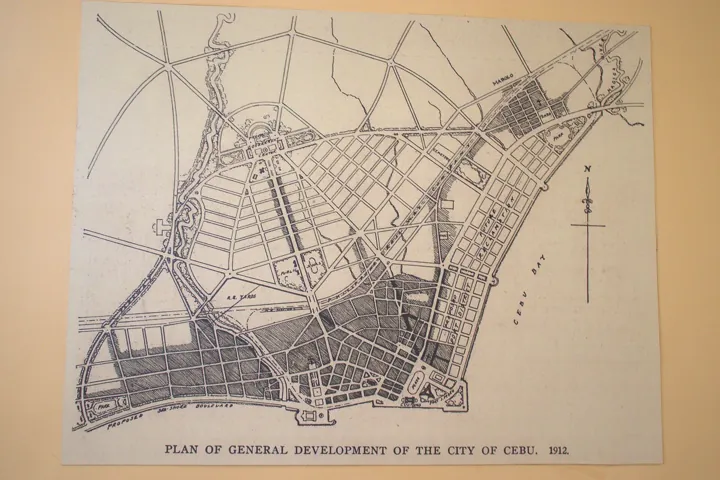
- Description
- Plan d’aménagement d’une ville côtière tracé à l’encre, avec ses avenues et ses quartiers.
- Source
- BJGunnaban · original page
- Licence
- CC0 Public domain
 Project Planning and Tracking Tools: Overview
You will be able to place the major tool families (ticket tracking, Kanban boards, portfolio management, code-integrated suites) and what each one actually does.
In brief
- You will be able to place the major tool families (ticket tracking, Kanban boards, portfolio management, code-integrated suites) and what each one actually does.
- You will be able to list the essential functions for Scrum (ordered backlog, sprint, capacity, burndown, WIP limit) and verify that a tool supports them without workarounds.
- You will have weighted selection criteria and a method for deciding without giving in to trends.
- You will know what changes for a data/BI project (non-codable items, acceptance testing on figures, delivery kits).
- Detailed pages: Azure DevOps / TFS, Jira In Depth and Alternatives, Project Metrics and Reporting, AI, rated comparison.
The /5 ratings in this guide are expert, contextual assessments (team of 5 to 15 people, data/BI project with a SQL Server datamart fed by an SFA field app, Power BI reports, TFVC version control). See RATING.
On this page
- 🟢 Novice — What a planning tool is for
- 🟢 Novice — Essential functions for Scrum
- 🟡 Practical — Tool Landscape
- Azure DevOps Boards (and TFS, Azure DevOps Server)
- Jira (Software, Work Management, Service Management)
- GitLab (Issues, Boards, Epics, Iterations)
- GitHub Projects (+ Issues)
- Linear
- Trello, Asana, Monday
- Notion
- YouTrack, Redmine, Taiga
- Rally (Broadcom), Jira Align, Planview: scale
- Azure DevOps vs Jira in one table
- 🟡 Practical — Selection Criteria
- 🟡 Practical — Scrum Functions in Detail: What Separates the Tools
- 🔴 Expert — Data model, hidden costs, and portability
- 🔴 Expert — Five-step decision method
- See also
Level: 🟢→🔴
🟢 Novice — What a planning tool is for#
A planning tool is not the project: it is the shared and visible memory of work to do, in progress, and completed. It answers four questions the team asks every day: what (content), who (ownership), when (order and dates), and where are we now (status). A spreadsheet can play this role for three people over one month; beyond that, you need history, links between items, permissions, notifications, and reports.
Minimum vocabulary (see the Glossary):
| Term | Common meaning | Note |
|---|---|---|
| Work item / ticket / issue | the tracked unit of work | the name changes by tool: work item (Azure DevOps), issue (Jira, GitHub, GitLab) |
| Backlog | ordered list of what remains to be done | the order is a product decision, not a display detail |
| Sprint / iteration | fixed-duration period | Scrum: 1 to 4 weeks, see Scrum, the framework (Scrum Guide 2020) |
| Board / tableau | columns = statuses, cards = items | visual Kanban |
| Workflow | allowed statuses and transitions | the core of customization |
| Epic / Feature / Story / Task | granularity levels | names vary, hierarchy remains |
🟢 The five tool families#
- Ticket tracking for software teams: Azure DevOps Boards (ex-TFS), Jira, YouTrack, Redmine, Taiga. Strong in workflows, queries, history, code integration.
- Tools integrated into the code forge: GitHub Projects, GitLab Issues/Boards. The ticket lives next to the repository, merge requests, and pipeline.
- “Modern” tools focused on speed and simplicity: Linear, Shortcut. Few settings, strong opinion, excellent UX.
- General-purpose collaborative boards: Trello, Asana, Monday, Notion, ClickUp. Weak in process rigor, strong in adoption outside technical teams.
- Portfolio management and scaled agility: Jira Align, Rally (Broadcom), Planview, ADO Portfolio. For strategy → team alignment and cross-team dependencies.
A mature organization always has two levels: a tool close to the code for detail (tickets, tasks, links to changesets) and, if size requires it, an aggregated portfolio view. Trying to make one tool do both gives you a tool that is too heavy for developers or too limited for leadership.
🟢 Novice — Essential functions for Scrum#
Before comparing logos, let's check what Scrum actually requires (framework, practice).
| Function | Why Scrum needs it | Simple tool test |
|---|---|---|
| Ordered Product Backlog | the Product Owner's single list, order = priority | can I drag and drop an item and have the order be shared and persistent? |
| Hierarchy (Epic → Feature → Story → Task) | break down work without losing traceability | does a parent show progress (sum) of its children? |
| Sprint Backlog | selection for the iteration + delivery plan | can items be assigned to a sprint and shown on a sprint board? |
| Capacity | avoid unrealistic commitment | enter available days per person (vacation, holidays), total per sprint |
| Estimation | points, T-shirt size, remaining hours | aggregatable numeric field; tracked re-estimation |
| Burndown / velocity | transparency on trajectory | chart computed without manual export |
| WIP limits | avoid buildup (Kanban mindset) | limit by column with visual alert |
| Definition of “done” | transparent quality | blocking box/status, or mandatory checklist |
| History and audit | retrospective, evidence | log of status and field changes |
| Links | dependencies, bugs ↔ stories, changesets | typed link (parent, related, predecessor, commit/changeset) |
| Queries and dashboards | steering | saved filter, sharing, widget |
Symptom: burndown is “flat then cliff-like” every sprint. Cause: the tool tracks remaining hours on tasks, but the team never updates it (or only creates tasks at the end). Fix: decide on a single tracking mode (points at story level, or remaining work at task level), document it in the Definition of Done, and inspect it at the Daily Scrum.
For the underlying estimation and velocity concepts, see Project Metrics and Reporting and the matrix topic Planning and Estimation (PLA).
🟡 Practical — Tool Landscape#
The descriptions below are those of a practitioner (as of 2026-10). Features change quickly; models (what the tool treats as a first-class object) change little and are what matter.
Azure DevOps Boards (and TFS, Azure DevOps Server)#
Model: typed work items, dependent on the process template (Agile, Scrum, CMMI); parent-child hierarchy; area paths and iteration paths; backlogs, boards, sprints, capacity; WIQL queries; native links to TFVC changesets, commits, builds, releases. Available in SaaS (Azure DevOps Services) and on-premises (Azure DevOps Server, successor to TFS). Strengths: code/CI/test integration in a single product, customizable process without marketplace, low cost if Visual Studio licenses are already in place. Weaknesses: thinner third-party ecosystem than Jira, dated UX, Microsoft roadmap more oriented toward GitHub. Details: dedicated page.
Jira (Software, Work Management, Service Management)#
Model: issues + workflows + schemes (types, fields, screens, permissions, notifications); Scrum/Kanban boards; JQL; Advanced Roadmaps / Plans; very rich Marketplace. SaaS (Cloud); the Data Center offering has an announced end of life on March 28, 2029 (Atlassian announcement of September 8, 2025; sales to new customers stopped as of March 30, 2026; existing customers can still buy new subscriptions, apps, and extensions until March 30, 2028 — as of 2026-10). Strengths: flexibility, ecosystem, market standard. Weaknesses: customization drift, per-seat cost, performance on high volumes. Details: Jira In Depth and Alternatives.
GitLab (Issues, Boards, Epics, Iterations)#
Model: issues linked to merge requests and pipelines; epics and iterations on paid offerings; self-hosted or SaaS. Strength: single platform from planning to deployment; weakness: planning is simpler than Jira or Azure DevOps (less rich fields, workflows, and reporting), some features are reserved for paid tiers.
GitHub Projects (+ Issues)#
Model: board/table/roadmap view-oriented over issues and PRs; custom fields; automations. Strength: natural adoption when code is on GitHub, integration with AI coding agents; weakness: few native Scrum concepts (iterations and burn-up-style Insights charts, but no capacity entry or dedicated burndown), modest governance and reporting.
Linear#
Model: issues, cycles (sprints), projects, initiatives; very fast, highly opinionated (little configuration); Free/Basic/Business/Enterprise tiers; AI agent platform and “Linear Agent” from the free offering onward, with some AI features running on credits (as of 2026-10, based on the pricing page). Strength: UX, product team velocity; weakness: poorly suited to regulated processes, heavy customization, and on-premises (SaaS only).
Trello, Asana, Monday#
Simple card boards (Trello), general-purpose work management (Asana), no-code management platforms (Monday). Strengths: lightning-fast adoption, non-technical users, clients and business teams. Weaknesses for Scrum: no rigorous sprint model, rudimentary capacity/burndown or via add-ons. Excellent for business acceptance testing tracking or a request board, rarely for the core of a technical backlog.
Notion#
Relational databases + pages: you can model a backlog, sprints, documentation, all in one tool. Strength: doc + tracking unification, flexibility. Weakness: no transactional workflow, weak governance and auditing, performance on high volumes, dependence on team conventions that erode over time.
YouTrack, Redmine, Taiga#
- YouTrack (JetBrains): highly flexible ticket tracking (scripted workflows, quick-entry commands), self-hosted or cloud, attractive pricing for small teams.
- Redmine: open-source, mature, self-hosted, highly modular through plug-ins; dated interface, agile support via extensions. A classic choice for small organizations and public administration.
- Taiga: open-source, highly visual agility (Scrum/Kanban), smaller community; check project vitality before committing.
Rally (Broadcom), Jira Align, Planview: scale#
For 10+ teams, SAFe/LeSS, or portfolio: release trains, increment objectives, dependencies, multi-team capacity. High cost and complexity; relevant only if coordination is truly the bottleneck, not to “look serious.” See Agile and Lean Methods (Manifesto, Kanban, XP, Lean, Shape Up, DSDM, SAFe, DevOps…).
Azure DevOps vs Jira in one table#
| Dimension | Azure DevOps (Server/Services) | Jira (Cloud) |
|---|---|---|
| Data model | typed work items by process template | issues + workflow + schemes |
| Link with code | native (TFVC changesets, Git commits, builds, tests) | via Bitbucket/GitHub/GitLab or apps |
| On-premises | yes (Azure DevOps Server, modern lifecycle with no fixed end date) | Data Center end of life in 2029 |
| Third-party ecosystem | solid, thinner | very rich |
| Native reporting | Analytics + OData + widgets; direct Power BI | dashboards, reports; BI via exports/apps |
| Cost | often already covered (Visual Studio subscriptions) | per seat, tiered |
| Customization governance | by collection/project, inherited process | by schemes; proliferation risk |
🟡 Practical — Selection Criteria#
You do not choose “the best tool” but the least bad tool for a given context. Weight the criteria (total 100) before evaluating, otherwise the sales demo decides for you.
| Criterion | Question to ask | Typical weight (on-prem data/BI team) |
|---|---|---|
| Model flexibility | can we represent our types (for example “Delivery,” “Acceptance Testing,” “Data Incident”)? | 12 |
| Reporting | burndown, velocity, trends without export? Connection to Power BI? | 14 |
| Code/CI integration | ticket ↔ changeset/commit, build, deployment link | 15 |
| Total cost | licenses + admin + migration + training | 10 |
| Adoption | learning curve, presence among business teams | 10 |
| Governance | fine-grained permissions, audit, role separation | 10 |
| Scaling | 5 → 50 → 500 users, volumes | 6 |
| Process customization | fields, statuses, rules, without development | 10 |
| Extensibility / API | REST, webhooks, extensions, scripts | 8 |
| Sovereignty / hosting | on-premises required? data in the EU? | 5 |
An 8-person team maintains a SQL Server datamart and its Power BI reports, versioned in TFVC, delivered as installation kits. High weights: code integration (15) and reporting (14), because each kit must be traceable back to tickets, and management wants a dashboard. A SaaS tool not connected to TFVC would lose changeset ↔ ticket traceability: despite better UX, its weighted score drops. The full rated table is in the comparison.
Run a end-to-end trial for two weeks with a real sprint: backlog creation, estimation, one scope change during sprint, one delivery, one report for management. The gaps show up there, not in the brochure.
🟡 Practical — Scrum Functions in Detail: What Separates the Tools#
Backlog#
The major difference: is the backlog a view over a global order field (Azure DevOps: Stack Rank/Backlog Priority, Jira: rank) or a manually sorted board per view? A global order field allows multiple teams to align on “the same list”; local ordering by view produces invisible divergences.
Sprint and capacity#
Capacity is calculated as follows (formula used by the tool or to reproduce manually):
Sprint capacity (h) = Σ_people (sprint workdays − vacation − holidays) × productive_hours_per_day
Productive hours/day ≈ 4 to 6 out of 8 (meetings, support, unforeseen work) — order of magnitude, to be calibrated
Capacity in points ≈ average velocity of the last 3 to 5 sprints × (current capacity / past average capacity)
Azure DevOps offers capacity entry by person and by activity (Development, Testing, Design…) and shows an over-commitment indicator; Jira gets this through apps or Advanced Roadmaps plans; Linear, GitHub Projects do not make this a core function.
Burndown, burnup, cumulative flow#
See Project Metrics and Reporting: the critical point is whether the tool tracks scope (burnup) in addition to remaining work (burndown), because scope moves.
WIP#
WIP limits are native in Azure DevOps and Jira Kanban boards (to be verified for other tools, including Linear), but never enforcing: they alert. It is a behavior lever, not a technical lock.
🔴 Expert — Data model, hidden costs, and portability#
What a tool imposes without saying so#
- The estimation model: Azure DevOps stores
Story Points(Agile/Scrum) orEffort(Scrum) andRemaining Workin hours; Jira:Story PointsorOriginal Estimatefield; moving these from one tool to another requires a mapping table. - Status history: essential for calculating lead time and cycle time (metrics). A tool that does not track transitions makes these measurements impossible, or approximate.
- The link model: a single “parent-child” link constrains the hierarchy; a free “related” link opens the door to chaos. The ticket ↔ changeset/commit link is the key to regulatory traceability and auditing.
Total cost of ownership (TCO)#
Comparing only the per-seat price is a mistake. Line by line, over a 3-year horizon:
| Item | To estimate | Pitfall |
|---|---|---|
| Licenses | per user, by tier, third-party apps | “stakeholder” users are free in Azure DevOps (Stakeholder access, limited features) but paid elsewhere (Linear guests reserved for the Business tier): must be verified tool by tool |
| Administration | administrator time per month | an over-customized Jira requires nearly full-time effort |
| Hosting | servers, backups, updates (on-prem) | forgetting on-call effort for version upgrades |
| Migration | tools, cleanup, loss of history | link history is the hardest to preserve |
| Training | initial and ongoing | often left out of the budget |
| Exit | export of your data | reversibility: test export before signing |
Reversibility and lock-in#
Symptom: after 4 years of use, impossible to leave the tool without losing decision history. Cause: specific fields and workflows, links to proprietary objects (builds, changesets). Remedy: export regularly to a neutral format (CSV, JSON via REST API), keep durable documentation outside the tool (ADR, versioned wiki), and do not store a decision only in a ticket comment.
Dependencies in a data/BI project#
A datamart and reporting project includes elements that tools designed for software handle poorly:
| Data element | Need | Tooling response |
|---|---|---|
| Acceptance testing on figures (delta ≤ threshold between old and new report) | quantified acceptance criterion, attached evidence | “acceptance criterion” field + linked test task; see acceptance testing and validation |
| Versioned installation package | ticket → delivered version link | “target version” field or iteration path; see VCS and SQL/BI data |
| Data incident | different type than software bug (freshness, rejection) | dedicated ticket type, correction SLA |
| Schema migrations | sequencing, rollback | tasks linked as predecessor/successor |
| Generated documentation | metadata traceability | link to wiki/documentation pipeline |
See also Scrum and Data for adapting ceremonies.
Tools include assistants (summarization, story drafting, deduplication). Useful for reducing data-entry effort, never for deciding priority or acceptance. See AI and Tools.
🔴 Expert — Five-step decision method#
- Frame the real need: size, constraints (on-premise, sovereignty, audit), flow (Scrum, Kanban, hybrid). Write 10 usage “stories.”
- Weight the criteria before any demo (table above).
- Shortlist 2 or 3 tools, never 6; eliminate based on hard constraints (on-premise, export rights).
- 2-to-4-week pilot with a volunteer team, using a real dataset (50 to 100 migrated items).
- Decide and plan the exit: cutover date, freeze the old tool to read-only, archiving plan.
An excellent sign of maturity: the team knows how to state what it will not measure. Every report created is a maintenance cost and a risk of target-driven steering (Goodhart's law, see metrics).
See also#
- Azure DevOps Server (ex-TFS) in Depth · Jira In Depth and Alternatives · Rated comparison
- Overview of Version Control Systems · TFVC in Depth
- Scrum in Practice · Pitfalls and good practices in project management (cross-functional summary)
- Governance and Steering (matrix) · Glossary
✻ Written by Claude Sonnet 5.5
