

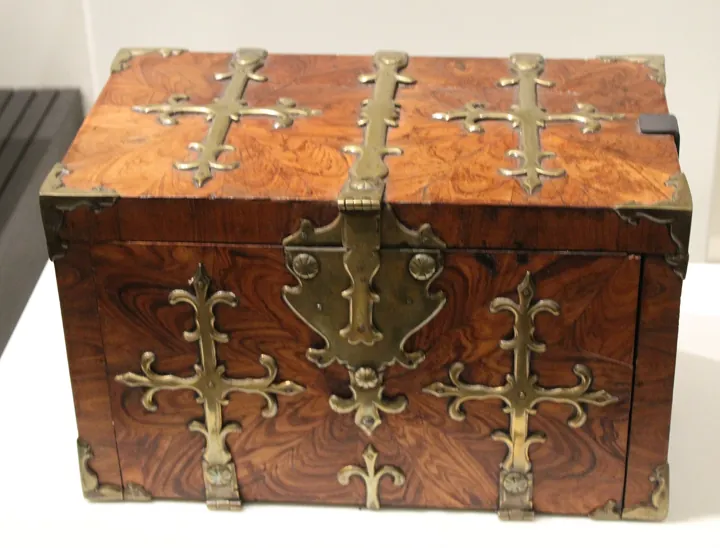
- Description
- Coffre-fort ancien en bois précieux, renforcé de ferrures de laiton ouvragées.
- Source
- 14GTR · original page
- Licence
- CC0 Public domain
 Source control for data: SQL and Power BI
Version SQL objects so they can be replayed: idempotent scripts, state-based vs migration-based, SSDT/dacpac, Flyway, Liquibase.
In brief
- Version SQL objects so they can be replayed: idempotent scripts, state-based vs migration-based, SSDT/dacpac, Flyway, Liquibase.
- Version Power BI in a merge-friendly way: PBIP, PBIR, TMDL, diffs and merges, binary pitfalls.
- Master encodings, BOM, line endings and
.gitattributesso you never corrupt an accent. - Manage large files, secrets, reference data, installation kits and release tags.
- Know where AI helps (schema diff, documentation, review) and where it is dangerous.
Illustrative running thread: a SQL Server datamart fed by a field sales force application, with multilingual Power BI reports, delivered as installation kits.
On this page
- What changes with data
- What gets versioned
- State-based and migration-based for SQL
- Idempotent scripts
- SSDT, dacpac, Flyway, Liquibase tools
- Versioning Power BI (PBIP, PBIR, TMDL)
- Diffs and merges for TMDL and report JSON
- Encodings, BOM, and line endings
- Large files and binaries
- Secrets and Reference Data
- Installation Packages and Release Tags
- Repository Organization
- AI Contribution
- Summary Pitfalls
- See also
Level: 🟡→🔴
What changes with data#
🟡 Practical level
Versioning application code is “stateless”: binaries are replaced. Versioning a database is different: the database contains state (populated tables, history, client settings) that cannot be replaced. So you must version how it evolves (migrations) as much as the target. Three consequences:
- Each change must be replayable on an existing environment (idempotence, non-destructive behavior).
- Two branches that modify the same table produce order-conflicting migrations, even without file conflicts.
- Reports and the semantic model consume the schema: versioning must connect layers (monorepo, coordinated PRs, shared tags).
See also CI/CD for data: foundations, datamarts, pipelines, and reports and the matrix Versioning and Industrialization of Reports.
What gets versioned#
🟡 Practical level
| Category | Examples | Format | Diff/merge quality |
|---|---|---|---|
| SQL schema and programs | Tables, views, procedures, functions | .sql text |
Excellent |
| Reference data | Settings, lists, multilingual labels | .sql (MERGE), .csv |
Good if sorted and stable |
| Semantic model | Tables, DAX measures, relationships | TMDL (text) | Good |
| Report definition | Pages, visuals | PBIR (JSON) | Average (verbose, identifiers) |
| Monolithic report | .pbix |
Binary | None |
| Orchestration scripts | PowerShell, pipeline YAML | Text | Excellent |
| Documentation | Markdown | Text | Excellent |
| Generated kits | .zip, installation folder |
Binary/text | Do not version (regenerable), or archive as artifacts |
Version sources, not derived products. An installation kit is generated from sources; keep it as a build artifact (stored by the pipeline, version-addressed), not as a file to merge. Exception: a frozen release snapshot when contractual archiving requires it.
State-based and migration-based for SQL#
🟡 Practical level
Two philosophies for describing schema evolution:
| State-based (target state) | Migration-based (ordered changes) | |
|---|---|---|
| What gets versioned | The final definition of each object | A series of numbered change scripts |
| Deployment generation | The tool compares target and database, generates the delta | You replay scripts not yet applied |
| Strengths | Readable (one file = one object), natural diff, no order drift | Exact control (data transformations), reproducible, suited for complex migrations |
| Limits | Generated delta can be destructive (e.g., rename = drop/create), data transformations not inferred | Growing chain, order conflicts across branches, current state hard to read |
| Tools | SSDT/SqlPackage (dacpac), Redgate SQL Source Control | Flyway, Liquibase, DbUp, EF migrations, Redgate Deploy |
| Ratings /5 (team 5-15, datamart) | Readability 5, safety 3 | Readability 3, safety 5 |
A common and healthy hybrid approach: target state for stateless objects (views, procedures, functions: CREATE OR ALTER), migrations for stateful objects (tables: add column, type change, data backfill).
In a datamart recalculated at each consolidation, fact and dimension tables are rebuilt by programs: target state (the program definition) is what gets versioned, and the table is disposable. By contrast, a settings or log table contains state that must be migrated without loss: migration-based for that one.
Idempotent scripts#
🟡 Practical level
A script is idempotent if it can be replayed multiple times with the same result and without error. This is the condition for reliable deployment across environments in different states.
-- Procédure : état cible
CREATE OR ALTER PROCEDURE [dm].[p_Exemple]
AS
BEGIN
    SET NOCOUNT ON;
    -- ...
END;
GO

-- Colonne : migration idempotente
IF COL_LENGTH('dm.DIM_CLIENT', 'CLI_SEGMENT') IS NULL
    ALTER TABLE [dm].[DIM_CLIENT] ADD [CLI_SEGMENT] nvarchar(20) NULL;
GO

-- Donnée de référence : MERGE
MERGE [dbo].[_Parametre] AS T
USING (VALUES (N'SEUIL_COUVERTURE', N'0.80')) AS S([Nom], [Valeur])
   ON T.[Nom] = S.[Nom]
WHEN NOT MATCHED THEN INSERT ([Nom], [Valeur]) VALUES (S.[Nom], S.[Valeur]);
-- (pas de WHEN MATCHED UPDATE : ne pas écraser la personnalisation client)
GO
Rules:
- Protect with
IF EXISTS/IF NOT EXISTSorCREATE OR ALTER; avoid unguardedDROP. - Do not overwrite client-customized values: non-destructive installation, separate standard and specific settings.
- Order: number scripts (
010_Core,020_…) so replay order is deterministic. - Transactions: wrap multi-step schema changes; watch out for non-transactional DDL operations.
- One script, one topic; header comments (object, version, tickets) but no correction log in the body: history is in the VCS.
T-SQL MERGE has known edge cases (concurrency, duplicates in source, triggers); test carefully, use HOLDLOCK if concurrency exists, and deduplicate the source.
SSDT, dacpac, Flyway, Liquibase tools#
🔴 Expert level
| Tool | Model | Ratings | Notes |
|---|---|---|---|
| SSDT (Visual Studio SQL projects) / SDK-style projects (Microsoft.Build.Sql) | State-based | 4/5 for a schema-centered SQL Server project | Compiles the project, detects reference errors at compile time; produces a dacpac |
| SqlPackage | Dacpac deployment | 4/5 | publish generates the delta; options /p:BlockOnPossibleDataLoss=True, DropObjectsNotInSource: dangerous if misconfigured |
| Flyway | Migration-based | 4/5 | V1__name.sql files, history table, repeatable R__ versions for replayable objects |
| Liquibase | Migration-based (XML/YAML/SQL) | 4/5 | Declarative changelog, rollback, contexts |
| DbUp | Migration-based (.NET) | 3/5 | Lightweight, integrated with C# code |
| Redgate | Both | 4/5 | Commercial |
| Custom scripts + kit | Hybrid | 3/5 | Maximum flexibility, requires discipline (order, idempotence, tests) |
Choosing: an SSDT project is the best safety net for a complex schema (verified references, target/base comparison); Flyway/Liquibase for teams that favor explicit migration; custom scripts when the product generates a large part of the schema through programs (like a metadata-driven datamart) — provided you automate checks (syntax, order, idempotence, dry-run replay test).
# Exemple : déployer un dacpac en bloquant toute perte de données
sqlpackage /Action:Publish /SourceFile:Datamart.dacpac `
  /TargetConnectionString:"..." /p:BlockOnPossibleDataLoss=True /p:DropObjectsNotInSource=False
Systematic replay test: apply the kit to (1) an empty database, (2) a copy of an existing client database; compare the resulting schema (sqlpackage /Action:DeployReport or schema comparison). If the two differ, the script is not idempotent.
Versioning Power BI (PBIP, PBIR, TMDL)#
🟡 Practical level
The .pbix file is a binary zip: no diff, no merge, opaque history. The Power BI project format (PBIP) breaks the artifact into text folders:
MonRapport.pbip                      (pointeur)
MonRapport.SemanticModel/
    definition.pbism
    definition/
        model.tmdl
        relationships.tmdl
        tables/
            FAITS.tmdl
            CLIENT.tmdl
        cultures/
            fr-FR.tmdl  en-US.tmdl     (traductions)
MonRapport.Report/
    definition.pbir
    definition/
        report.json
        pages/
            pages.json
            <id-page>/page.json
            <id-page>/visuals/<id-visuel>/visual.json
- TMDL (Tabular Model Definition Language): readable text syntax for the semantic model (tables, columns, DAX measures, relationships, RLS roles, cultures). One table = one file; measures are readable line by line.
- PBIR: report definition format in JSON files (one visual = one file): targeted diffs, possible merges. The format replaces the old monolithic
report.jsondefinition (PBIR-Legacy): according to the Power BI documentation (as of 2026-10), PBIR is generally available and is the default report format; a modified then saved PBIR-Legacy report is automatically converted to PBIR. - Git integrated into Fabric / Power BI: syncs a workspace with a Git repository (Azure DevOps or GitHub); serializes in these formats. No TFVC support: one more reason to migrate for a project that wants native integration with the service.
- Client reports linked to a model by identifier: measure/column lineageTag values ensure continuity for reports connected to them; modify a measure in place (and never delete/recreate) preserves the link. This is an invariant to protect through review.
The same semantic model must not be edited simultaneously in Desktop and via script/Tabular Editor without synchronization: Desktop rewrites files on save (order, formatting). Symptom: huge diff with no real change. Remedy: only one person/tool at a time, commit before and after an editing session.
From Desktop, save as Power BI Project (.pbip) (File → Save As) and choose TMDL as the semantic model format; PBIR is now the default report format. Verify validity with a TMDL syntax validator before opening (or with Tabular Editor/CLI tools), because a badly indented file prevents the project from opening.
Diffs and merges for TMDL and report JSON#
🔴 Expert level
TMDL: significant indentation (like YAML) and multi-line measures. Merges mainly fail because of:
- Modified indentation on one side (reformatting) → conflict on the entire block.
- Reordering of columns/measures by Desktop → noisy diff.
- Generated
lineageTagidentifiers: two concurrent additions do not mix them, but an object copy duplicates the tag (must be regenerated). - Regenerated internal annotations (
PBI_QueryRelationships, etc.).
Mitigations: single formatting conventions, edit distinct blocks (one person per table), git diff --word-diff, manual resolution then open in Desktop to validate, and keep model merges small and frequent.
Report JSON (PBIR): one visual per file limits conflicts; but positioning (x, y, width) and page identifiers change as soon as an object is moved. In a conflict, favor one side's version (entire page) rather than a fine-grained merge.
git diff --word-diff=color -- "*.tmdl"
git diff --stat main...feature -- "*.Report/*"
# Outil de fusion : configurer un mergetool pour TMDL/JSON
git config merge.tool vscode
git config mergetool.vscode.cmd 'code --wait --merge $REMOTE $LOCAL $BASE $MERGED'
| Aspect | .pbix |
PBIP + TMDL + PBIR |
|---|---|---|
| Readable diff | 0/5 | 4/5 |
| Merge of two concurrent edits | 0/5 | 3/5 |
| Code review (PR) | 0/5 | 4/5 |
| Ease for a business user | 5/5 | 3/5 |
| Repository size | 2/5 | 4/5 |
| CI/CD fit (validation, deployment) | 1/5 | 4/5 |
Context: team of 3-15 people, multilingual enterprise reports; expert assessments (RATING).
Migrating a report to a reference model involves hundreds of JSON files. In PBIP, the PR lists modified visuals precisely; a control script can validate all fields referenced by each visual against the model before merge. In .pbix, each file would have to be opened manually.
Encodings, BOM, and line endings#
🔴 Expert level
A vital topic for multilingual content with accents: an encoding error destroys accents without an error message.
| Encoding | Default SSMS / sqlcmd |
sqlcmd -f 65001 |
PowerShell 5.1 |
|---|---|---|---|
| UTF-8 with BOM | ✅ | ✅ | ✅ |
| UTF-8 without BOM | ❌ mojibake | ✅ | ❌ mojibake |
| cp1252 / ISO-8859-1 | ✅ | ❌ (U+FFFD) |
✅ |
Reading: UTF-8 with BOM is, for .sql and .ps1 run on Windows, the only encoding correctly decoded in all cases; UTF-8 without BOM is the standard expected by other tools (Node, Markdown/YAML, TMDL/JSON written by Power BI Desktop). Team rule: one encoding per file type, documented, automatically checked.
| Type | Recommended encoding | Reason |
|---|---|---|
.sql, .ps1 |
UTF-8 with BOM | SSMS, sqlcmd, PowerShell 5.1 |
.tmdl, .pbir, .pbism, report JSON |
UTF-8 without BOM | Written by Power BI Desktop, which rewrites them |
.md, .yml, .js |
UTF-8 without BOM | A BOM before YAML front matter breaks some parsers |
.bat, .cmd |
OEM/ANSI code page depending on content | Watch out for accents |
Line endings: LF in the repository (normalization); CRLF on Windows disk if the tool wants it. TMDL files written by Desktop use CRLF.
Typical .gitattributes:
# Normalisation par défaut : texte détecté, LF dans le dépôt
* text=auto

# Sources SQL et PowerShell : texte
*.sql  text working-tree-encoding=UTF-8 eol=lf
*.ps1  text eol=lf

# Fichiers écrits par Power BI Desktop : ne pas modifier les fins de ligne
*.tmdl text eol=crlf
*.pbir text eol=crlf
*.json text

# Binaires : jamais touchés
*.pbix binary
*.zip  binary
*.png  binary
*.bak  binary
Expert notes:
working-tree-encodingconverts on read/write (useful for cp1252 ↔ UTF-8) but does not manage BOM for you: BOM presence must be checked with a hook or validation script.*.sqlfiles “with BOM” should be detected in apre-commit: read the first 3 bytesEF BB BF.- Under TFVC, there is no automatic normalization; encoding is that of the stored file (a file type property: encoding detected at
add). A tool that “rewrites” a file with another encoding causes a noisy changeset. - Never read then rewrite a file with unknown encoding using a tool that assumes UTF-8: all accents in the file are corrupted, not just the edited line.
sed -iand some tools remove CRs from CRLF files: favor binary processing (Python) or the project editor.
# Contrôle : tous les .sql ont-ils un BOM UTF-8 ?
Get-ChildItem -Recurse -Filter *.sql | ForEach-Object {
    $b = [System.IO.File]::ReadAllBytes($_.FullName) | Select-Object -First 3
    if (-not ($b[0] -eq 0xEF -and $b[1] -eq 0xBB -and $b[2] -eq 0xBF)) { $_.FullName }
}
# Écriture d'un fichier avec BOM
$enc = New-Object System.Text.UTF8Encoding $true
[System.IO.File]::WriteAllText($chemin, $contenu, $enc)
Symptom: labels like “Détail” after deployment. Cause: UTF-8 file without BOM run by a tool that reads it as ANSI (or vice versa). A deployment can succeed (return code 0) while corrupting all labels. Remedy: BOM on sources run by sqlcmd/PowerShell, replay test with a control accented label (e.g., a value “Éléphant ç œ” read back after installation).
Large files and binaries#
🔴 Expert level
- Do not version:
.bakbackups, massive exports, Power BI caches (cache.abf),localSettings.json,bin/obj/node_modulesfolders. .pbixwhen unavoidable (legacy reports): Git LFS (with locking), or artifact storage outside the repository; better: convert them to PBIP.- Sample datasets: keep small (a few MB); otherwise, use a versioned generator script instead of data.
- History size: a binary added then removed remains in history:
git filter-repoto purge (02). - TFVC accepts extensionless binaries, but the collection database grows; monitor it.
Order-of-magnitude thresholds (to adapt): alert starting around ~10 MB per file, reject above ~100 MB without LFS (host limits to be checked).
Secrets and Reference Data#
🔴 Expert level
Secrets: connection strings, passwords, storage keys, tokens. In a data project, they hide in: appsettings configuration files, deployment PowerShell scripts, Power BI data source parameters (expressions.tmdl with server and database), pipelines. Rules: integrated authentication/managed identities rather than passwords; a vault for everything else; environment-specific settings outside the repository; secret scanning on every PR (details).
Production server and database names in TMDL files are not passwords, but they are sensitive information (mapping). Configure by environment (Power Query parameters) rather than hardcoding fixed values.
Reference data (settings, value lists, translated labels):
- Version them as replayable scripts (
MERGEwithout overwriting customer settings) or sorted, stable.csvfiles (columns in a fixed order, sorted by key) for a clean diff. - Do not version personal data (GDPR); for test datasets, anonymize/synthesize.
- Separate standard (delivered, versioned) from customized/project (customer, outside product or in a dedicated folder); inheritance and priority order documented.
- Translations: single source file (label table), generated into model cultures; translation diffs must be readable (one line per key and per language).
Installation Packages and Release Tags#
🔴 Expert level
An installation package is the ordered set of scripts (SQL, PowerShell) that installs or upgrades the product. It is generated from sources and replayed on existing environments.
Invariants to guarantee:
- Reproducibility: a version's package must be able to be regenerated exactly from the corresponding tag.
- Deterministic order and idempotence (see above).
- Traceability: the installed version is written in the database (version table) and in the installation log; link version ↔ tag ↔ changeset/commit.
- Integrity: package checksum; tag signature.
- Reliable execution: documented execution options (e.g.,
sqlcmd -x -Xto disable variable substitution and commands); a package that “installs successfully” while corrupting accents or skipping files is worse than a clear failure: fail loudly.
Release tags:
git tag -s v9.1.2 -m "Kit 9.1.2 — consolidation fixes"
git push origin v9.1.2
git describe --tags        # v9.1.2-3-gabc1234 : 3 commits after the tag
git archive --format=zip --prefix=kit-9.1.2/ v9.1.2 -o kit-9.1.2.zip
Under TFVC: a documented reference changeset + release branch + (possibly) label; record the changeset number in release notes.
Released version ≠ produced package: tag when the package is built; mark “delivered” only after documentation is published and quality sign-off is given. Keep both events distinct in the version registry.
Repository Organization#
🔴 Expert level
Proposed tree structure for a datamart + BI project in a monorepo:
/Datamart/        numbered SQL scripts (010_Core, 020_..)
/Reports/         PBIP projects (SemanticModel + Report)
/Tools/           PowerShell scripts, internal tools
/Docs/            Markdown documentation
/Releases/        (optional) frozen snapshots, one folder per version
/.gitattributes   /.gitignore   /.tfignore (if TFVC)
/CHANGELOG.md     versioned business tracking
- One README per structuring folder (role, content, conventions); a README that contradicts the code is a defect just like a failing test.
- Changelog: separate the daily work log (local, not archived) from business tracking by version (archived).
- No correction log in code: VCS history is enough; the header carries version and metadata.
AI Contribution#
Relevant uses for data VCS.
| Use case | Gain | Risk | Maturity | Prerequisites | Guardrails |
|---|---|---|---|---|---|
| Explain the diff of a SQL procedure or a DAX measure | 4/5 | 3/5 | 4/5 | Isolated diff | Replay on data, verify edge cases (NULL, duplicates) |
| Generate the idempotent migration script from a schema diff | 4/5 | 4/5 | 3/5 | Source and target schema | Test on a copy, review every DROP/ALTER; AI does not see the data |
| Write/comment commit messages and release notes | 4/5 | 2/5 | 4/5 | Atomic commits | Review, no secrets in the prompt |
| Resolve a TMDL/JSON conflict | 3/5 | 4/5 | 3/5 | Both versions and the model | Open in Desktop, validate relationships; do not delete/recreate a measure |
Write a check (BOM, encoding, duplicated lineageTag, duplicate isKey) |
5/5 | 2/5 | 4/5 | Explicit rules | Test positive and negative cases |
| Document a model (measure dictionary) | 4/5 | 3/5 | 4/5 | TMDL as input | Validate business meaning with experts |
| SQL code review (anti-patterns, performance) | 3/5 | 3/5 | 3/5 | Team standards | False positives; real execution plan required |
| Troubleshoot deployment pipeline | 3/5 | 3/5 | 3/5 | Scrubbed logs | Do not paste secrets |
Prompt examples:
Here are two versions of a TMDL table (before/after). List the functional
changes (added measures, modified DAX expressions, changed relationships)
and flag any breaking risk for reports linked by lineageTag.
Do not invent anything: cite the relevant line.
Write an idempotent T-SQL script that adds column [CLI_SEGMENT] nvarchar(20)
NULL to [dm].[DIM_CLIENT] if it does not exist, without touching the data.
Add a final verification test that raises an error if the column is missing.
Limits to keep in mind: AI does not execute your migrations and does not know your data; it readily “fixes” an accent or indentation that needed to be preserved; it may suggest deleting and recreating an object whose identity matters (measure, bound column). Responsibility for production deployment remains human. See AI in Planning and Version Control Tools and the Cross-Functional Summary — AI Contribution.
Summary Pitfalls#
🔴 Expert level
| Pitfall | Symptom | Remedy |
|---|---|---|
Commit of a .pbix |
Repository bloats, no diff | PBIP, or LFS |
| Uncontrolled encoding | Accents corrupted during installation | BOM, hook, test with a control label |
| Late line-ending normalization | Diff on everything | .gitattributes from the start |
| Measure deleted then recreated | Customer reports broken | Modify in place |
| Two key columns in a model table | Project cannot be opened | Automated check (only one isKey) |
| Non-idempotent script | Failure on 2nd replay | IF EXISTS guards, replay test |
Unprotected DROP in a package |
Loss of customer settings | Systematic review of DROP |
Secret in a TMDL or a .ps1 |
Leak | Vault, scan, rotation |
| Parallel branches modifying the same table | Conflicting migrations | Coordination, order, replay tests |
| Non-reproducible package | “It worked on my machine” | Generate from tag, in a pipeline |
See also#
- Overview of Version Control Systems · Git In Depth · TFVC in Depth · Git vs TFVC: compare, migrate, coexist · Branching Strategies
- CI/CD for data: foundations, datamarts, pipelines, and reports · CI/CD: Continuous Integration and Continuous Delivery
- BI Matrix: Versioning and Industrialization of Reports
- Cross-Cutting Power BI Good Practices · Glossary
✻ Written by Claude Sonnet 5.5
