

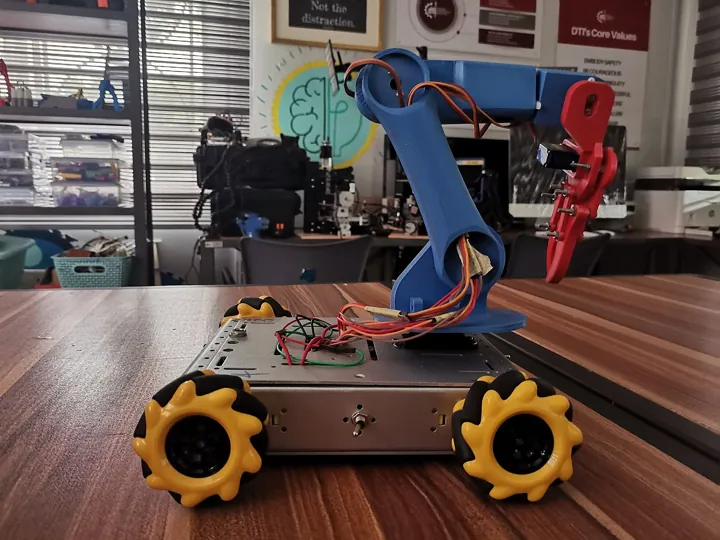
- Description
- Un petit robot à roues omnidirectionnelles équipé d'un bras articulé
- Source
- Anani A. George · original page
- Licence
- CC0 Public domain
 AI in Service of Project Management (General Then Data)
You will learn where generative AI (conversational assistant, tool-integrated copilot, agent) delivers real gains in managing a project: framing, backlog, estimation…
In brief
- You will learn where generative AI (conversational assistant, tool-integrated copilot, agent) delivers real gains in managing a project: framing, backlog, estimation, planning, risks, meeting notes, retrospectives, acceptance testing, documentation, steering.
- You will have a gain / risk / maturity (/5) table by activity, to decide where to invest first and where to refrain.
- You will see what changes in a data project (numbers, quality, volume, confidentiality) and why AI is more useful for structuring than for deciding.
- You will leave with operational guardrails, about ten reusable prompts, and a list of what AI does not replace.
The ratings in this file are expert assessments, contextual (team of 4 to 12 people, BI/datamart project, current market tools). See RATING. Model and copilot capabilities evolve quickly: anything related to features of a specific product is “to be rechecked.”
Level: 🟢→🔴
1. Framework and caution#
🟢 Novice — what are we talking about?#
Generative AI (see GLOSSARY) produces text, code, or tables from an instruction. It is statistically brilliant on form and structurally fallible on substance: it writes impeccable meeting notes… sometimes with a decision no one made. Three usage families coexist:
| Family | Example | Who stays in control |
|---|---|---|
| Conversational assistant | Ask a question, paste text, get a rewrite, a list, a table | The human at every turn |
| Integrated copilot | Suggestions in the code editor, meeting summary in the video tool, story generation in the backlog tool | The human validates every suggestion |
| Agent | Chains actions on its own (read the backlog, create tickets, launch a pipeline) | The human defines scope and reviews effects |
The farther down the table you go, the more potential gain and risk grow together. Project management is favorable ground for the first two families (a lot of text, synthesis, structuring), and high-risk ground for the third (side effects impact people, commitments, budgets).
🟡 Practical — why project management is a good fit#
Project management work is dominated by language work: writing a vision, reframing a need, breaking work down, summarizing, following up, reporting. AI excels at three moves: structuring (turning raw input into a plan), transforming (from one format to another: notes → minutes, email → ticket), challenging (“what is missing from this framing?”). It is weak at knowing (facts specific to your project), deciding, committing, and estimating without data.
The right question is not “can AI do this task?” but “if it is wrong, who notices, when, and at what cost?”. A draft meeting summary reviewed in 3 minutes: low-cost error. A cost estimate sent to the client without review: contractual error.
🔴 Expert — state of the art and volatility#
- Current language models can handle long contexts, manipulate tables, and produce functional code; they remain prone to hallucinations (plausible but false claims), agreeableness (tendency to align with the requester), and non-reproducibility (two runs, two different texts).
- Built-in features in management tools (ticket generation, iteration summaries, planning assistants) exist at most vendors, with changing licenses, data scopes, and “preview/GA” statuses. Do not lock in a tool choice based on an outdated table: verify with the vendor. See AI in Planning and Version Control Tools for the tools side and Cross-Functional Summary — AI Contribution for the big picture.
- No general “productivity gain” number is given here: published studies are partial, sector-specific, and often funded by vendors. Only local measurement (§9) is authoritative.
2. Basics of collaborating with AI#
🟢 Novice — four reflexes#
- Provide context: role, audience, objective, expected format, constraints. A two-line prompt gives generic text.
- Provide material: AI does not know your project. Paste notes, scope, definition of “done” (see Scrum, the framework (Scrum Guide 2020)).
- Ask for verifiable structure: table, numbered list, acceptance criteria, rather than a smooth paragraph that hides gaps.
- Review as you would review a brilliant, rushed intern: plausible is not exact.
Ask AI to flag what it does not know and what it assumed (“list your assumptions, mark [TO CONFIRM] anything not in the provided text”). This turns silent hallucinations into explicit questions.
🟡 Practical — the “produce, challenge, validate” cycle#
Mature usage follows three steps: (1) AI produces a first draft from your material; (2) you ask for an opposing review (“what objections would a skeptical CIO raise?”, “which stories violate INVEST?”); (3) a human validates and signs off. Step 2 delivers the most value: AI is an excellent low-cost challenger, as long as you explicitly ask it not to be nice.
🔴 Expert — context engineering rather than prompt engineering#
With large context windows, the lever is no longer a magic formula but what you put in the context: project charter, DoD, glossary, examples of the team’s good stories, past decisions. A versioned context pack (a text file maintained like code: vision, vocabulary, naming conventions, “good / bad” examples) improves outputs more than any wording trick. It is also a governance asset: you know what AI knew when it produced a given text.
Version this context pack in the same repository as the project (see CI/CD: Continuous Integration and Continuous Delivery and Git In Depth): every team rule change (DoD, naming) is tracked, reviewed, dated.
3. Activity by activity#
Each activity follows the same thread: what AI adds, how to do it, what must be checked. Numeric ratings are grouped in §4.
3.1 Framing and vision#
🟢 Contribution. Help write a framing note, an elevator pitch, an “in scope / out of scope” boundary, a stakeholder list. AI is useful for not forgetting sections (assumptions, constraints, success criteria, risks).
🟡 Method. Start from an interview or raw notes; ask for a one-page framing note, then a list of open questions (what is missing). Open questions are more valuable than the text: they prepare the next workshop with the sponsor. See Project Management Fundamentals (value, business case) and Choosing Your Method and Hybridizing.
🔴 Check. AI readily invents quantified success criteria and “expected gains”: any unsourced number is a hypothesis, not an objective. The business case remains owned by the sponsor.
SFA datamart: from 3 pages of interview notes with sales leadership, AI produces a framing note and 14 open questions. Five are about the definition of an “active customer” (visited in the last 90 days? invoiced? assigned to a territory?), which would have skewed all indicators. The value is in the questions, not the writing.
3.2 Backlog, user stories, and acceptance criteria#
🟢 Contribution. Transform a need expressed in a free-form sentence into a story in the “As a… I want… so that…” format with Given/When/Then acceptance criteria. Detect stories that are too large, ambiguous, or not testable (see INVEST in Scrum in Practice).
🟡 Method. Provide 3 sample team stories (few-shot) + the DoD; ask for vertical stories (see slicing) and acceptance criteria verifiable by query. For data, use the Scrum Applied to Data, BI, and the Datamart model (data story: source, grain, rule, control).
🔴 Check. AI produces stories that are consistent and plausible but disconnected from source reality: it does not know the fact table has no natural key, or that the source reloads at 4 a.m. A story is not good because it is well written: it is good if the team can deliver it and the business can acceptance test it.
Symptom: backlog of 80 perfectly written stories, zero velocity by the third sprint. Cause: mass generation without refinement; no one challenged feasibility. Remedy: generate few (5 to 10 stories at a time), refine as a team, discard what is not understood.
3.3 Estimation#
🟢 Contribution. Little direct gain on the number itself: AI does not have your flow data. It helps list what gets forgotten (testing, migration, documentation, acceptance testing, deployment) and compare with past stories if you provide history.
🟡 Method. Provide history (cycle time by story type, see flow-based forecasting in Scrum in Practice) and ask for a range with assumptions, or a Monte Carlo-style simulation on cycle times (AI writes the script, you run it on your data). Avoid “estimate this story in points”: the answer is a number with no basis.
🔴 Check. A number produced by AI looks like a team estimate but lacks its key property: shared commitment. And it acts as an anchor (bias): once seen, humans drift little from it. Estimate blind first, compare afterward.
Use AI to build the checklist of what is often forgotten in estimates for your context (reprocessing, volume, edge cases, translations, permissions), not to output the number.
3.4 Planning#
🟢 Contribution. Build a milestone schedule from a list of work packages and dependencies, identify the critical path, propose a release sequencing. Convert a plan from one format to another (table → Mermaid Gantt chart, see Planning Tools).
🟡 Method. Provide hard constraints (delivery window dates, vacations, dependency on a third party) and ask for conflicts rather than the plan: “which dependencies make this schedule unworkable?”. For Sprint planning, see Scrum in Practice.
🔴 Verify. AI smooths things out: it proposes overly regular schedules, with no uncertainty or buffer. Explicitly add: “propose a pessimistic scenario based on the listed risks.” Implicit dependencies (a shared environment, a key person) are known only by the team.
3.5 Risks#
🟢 Contribution. Risk brainstorming from a project description: AI is a good exhaustiveness generator (technical, organizational, data, legal). It helps formulate “cause → event → consequence” clearly.
🟡 Method. Assisted pre-mortem technique: “we are 6 months from now, the project has failed; write the 10 most likely causes, by category.” Then the team rates probability and impact, and defines responses (avoid, mitigate, transfer, accept, see Fundamentals). For data risks, see Pitfalls and good practices.
🔴 Verify. The generated register is generic: it could apply to any project. The test: a risk is useful if it has an owner, an observable trigger, and a dated action. AI does not provide these.
3.6 Meeting Minutes and Communication#
🟢 Contribution. Turn a transcript or notes into minutes: decisions, actions (who, what, when), open points. This is the highest gain/risk usage in the entire list.
🟡 Method. Enforce a template (decisions / actions / risks / questions) and ask it to quote the source sentence for each decision. Have one participant validate the minutes within 24 hours. Adapt communication to the audience: same content, steering committee version (5 lines) and team version (details).
🔴 Verify. Three classic drifts: invented decision (a discussed hypothesis presented as finalized), incorrect attribution (the action is assigned to the wrong name, especially with poorly diarized transcription), erasing disagreement (the summary smooths over a conflict that should remain visible). A meeting recording also requires consent and retention rules (see §6).
60-minute steering committee, 9,000-word transcript. AI produces 6 decisions and 11 actions in 30 seconds. On review: 1 “decision” was actually a rejected option, 2 actions had no clear owner. After correction: 12 minutes of net drafting time saved, but review remains non-compressible.
3.7 Retrospectives and Continuous Improvement#
🟢 Contribution. Prepare facilitation formats, group post-its by theme, surface recurring patterns across several retros (“acceptance testing is mentioned in 5 out of 7 retros”). See Scrum in Practice for formats.
🟡 Method. Feed AI with anonymized retro minutes from the last 6 sprints; ask for promised actions not completed and recurring topics. This is tooled collective memory.
🔴 Verify. Never substitute AI for speaking time: the retrospective is a team ritual. And do not have it analyze sensitive personal data (individual sentiment, performance) without an explicit framework.
3.8 Acceptance Testing and Quality#
🟢 Contribution. Generate test cases from acceptance criteria, synthetic test datasets, edge scenarios (null values, duplicates, time zones, accented characters).
🟡 Method. Ask AI for validation queries (counts, checksums, source/target reconciliations) to execute, rather than a verdict like “the numbers are correct.” It does not see your data: it writes the check, the database responds.
🔴 Verify. Business acceptance testing of a number cannot be delegated: a user who says “this number is correct” commits their role. AI can prepare the protocol (see Scrum and data, five levels of control), not own the conclusion.
-- Exemple de requête de contrôle que l'IA peut rédiger (à valider avant usage) :
-- rapprochement du chiffre d'affaires mensuel entre la table de faits et la source
SELECT  d.annee_mois,
        SUM(f.montant_ht)                               AS ca_datamart,
        s.ca_source,
        SUM(f.montant_ht) - s.ca_source                 AS ecart
FROM    dm.FACT_VENTE        AS f WITH (NOLOCK)
JOIN    dm.DIM_DATE          AS d WITH (NOLOCK) ON d.date_id = f.date_id
JOIN    (SELECT FORMAT(date_facture,'yyyy-MM') AS annee_mois, SUM(montant_ht) AS ca_source
         FROM   staging.FACTURE WITH (NOLOCK)
         GROUP  BY FORMAT(date_facture,'yyyy-MM')) AS s ON s.annee_mois = d.annee_mois
GROUP BY d.annee_mois, s.ca_source
HAVING  ABS(SUM(f.montant_ht) - s.ca_source) > 0.01;   -- tout écart non nul est une anomalie à expliquer
3.9 Documentation#
🟢 Contribution. Draft or update documentation from reliable sources: data dictionary from the schema, release notes from the ticket list, installation guide from scripts. AI is excellent for derived documentation (from code to text).
🟡 Method. Provide the actual schema (DDL, metadata) and ask for the functional description of each column marked “to be validated by business users” when intent cannot be inferred. See Methods Specific to Data Projects (governance, DAMA) and the metadata topic in the data project matrix.
🔴 Verify. Generated documentation ages poorly if it is not regenerable: prefer a pipeline that reproduces it for every version, like code. And never publish generated text without explicitly identifying its nature (see §6).
3.10 Steering and Reporting#
🟢 Contribution. Summarize a dashboard as a management commentary, spot trends (slower flow, growing debt), prepare questions for the committee.
🟡 Method. Provide exported data (burndown, cycle time, number of defects) and ask for a reading plus explanatory hypotheses to verify. See Project Metrics and Reporting and DORA metrics in CI/CD: Continuous Integration and Continuous Delivery.
🔴 Verify. AI interprets too quickly: a correlation becomes a cause, a drop in velocity becomes a “team problem.” It also amplifies Goodhart's law: if you manage by indicators, it will help optimize them instead of questioning their relevance.
4. Gain/Risk/Maturity Summary Table#
Context: team of 4 to 12 people, BI/datamart project of 6 to 18 months, enterprise conversational assistant (non-training data, see §6). Gain: expected time and quality savings, 5 = very high. Risk: consequence of an undetected error, 5 = very high. Maturity: reliability and hindsight of current usage, 5 = established practice.
| Activity | Gain | Risk | Maturity | Prerequisites | Main safeguard |
|---|---|---|---|---|---|
| Meeting minutes | 4/5 | 2/5 | 4/5 | Consent, correct transcription | Review by a participant within 24 h |
| Documentation derived from code/schema | 4/5 | 2/5 | 4/5 | Accessible source of truth | “Generated” label, scheduled regeneration |
| Test cases and validation queries | 4/5 | 3/5 | 3/5 | Clear acceptance criteria | Actual execution, SQL review |
| Writing stories and criteria | 3/5 | 3/5 | 3/5 | Team examples, DoD | Team refinement, little at a time |
| Scoping and open questions | 3/5 | 2/5 | 3/5 | Interview notes | Numbers treated as hypotheses |
| Risk identification (pre-mortem) | 3/5 | 2/5 | 3/5 | Context description | Owner, trigger, deadline |
| Preparing retrospectives | 3/5 | 2/5 | 3/5 | Anonymized minutes | The team keeps the floor |
| Dashboard summaries | 3/5 | 3/5 | 3/5 | Reliable exported data | Explicit hypotheses, no asserted cause |
| Planning and critical path | 2/5 | 3/5 | 2/5 | Known dependencies | Pessimistic scenario, team validation |
| Numeric estimation | 2/5 | 4/5 | 2/5 | Flow history | Blind estimate first, then range |
| Delivery forecasting by autonomous agent | 2/5 | 4/5 | 1/5 | Flow data, strict scope | No action without human validation |
| Arbitration decision (priorities, GO/NO GO) | 1/5 | 5/5 | 1/5 | — | Do not delegate; AI only as challenger |
Start with rows where gain ≥ 4 and risk ≤ 2: they form a low-risk quick wins zone. Rows with risk 4–5 are “sparring partner” uses, never “decision-maker” uses.
Reading guide: gain is highest where the task is transforming existing text, and decreases as the task requires knowing project-specific things or committing someone. Risk follows the inverse curve.
5. The special case of data projects#
🟢 Novice — why data changes the game#
In a data project, the project material is itself data — often confidential (customers, employees, sales figures) and whose accuracy is the product. Three consequences: (1) what you paste into an assistant may be personal data; (2) an incorrect generated figure is more dangerous than awkward text; (3) AI cannot see the database: it only has what you show it.
🟡 Practical — where AI helps the most#
| Data need | Useful use | What must be prevented |
|---|---|---|
| Understand a legacy schema | Summarize DDL (columns, keys, relationships) without the data | Pasting rows of real data |
| Write control queries | Reconciliations, duplicates, referential integrity | Running without review, especially DELETE/UPDATE |
| Generate test datasets | Synthetic data matching the structure (see CI/CD for data: foundations, datamarts, pipelines, and reports) | Using a non-anonymized production extract |
| Specify a data story | Grain, rule, exceptions, criteria | Letting AI set the business rule |
| Write a measure or transformation | DAX/SQL draft, explanation of an existing formula | Deploying without non-regression testing of figures |
| Document | Data dictionary derived from the schema | Publishing unvalidated business definitions |
| Prepare acceptance testing | Protocol, edge cases, questions for business teams | Concluding “the figures are correct” |
Symptom: an AI-produced DAX measure gives a plausible total, but becomes wrong as soon as you filter by a security role or another filter context. Cause: AI reasons on an imaginary model, not on your semantic model, its relationships, or its security rules. Remedy: provide the model (tables, relationships, cardinalities), require numeric test cases (expected values), and validate figures with a sample recalculated in SQL.
Symptom: a generated SQL loading script works once, then doubles rows on replay. Cause: AI only thinks about idempotence if you ask it to. Remedy: include it in the instruction and in review (see CI/CD for data: foundations, datamarts, pipelines, and reports, idempotence and replay).
🔴 Expert — trade-offs specific to data#
- Personal data. Never send personal data to an external service without legal basis, a data processing agreement, and an impact assessment when required (GDPR). The structural safeguard: work on schema, metadata, and synthetic data, never on raw data. See the security/compliance topic in the data project matrix.
- Quality. AI can suggest quality rules based on statistical profiles (distinct values, null rates). It cannot distinguish an anomaly from a legitimate business-specific pattern: the rule is validated by the data owner. See Data Quality.
- Traceability. An AI-assisted script or measure must be traceable: ticket, review, test. What was generated does not exempt you from the normal cycle (commit, review, pipeline deployment).
- Model versions. A language model changes without notice; two months later, the same instruction gives a different result. For industrialized use (automatic documentation generation for each version), pin the model version, test outputs on a reference dataset, and treat model change as a dependency change.
- Agents on data. An agent running queries on a datamart must use a read-only account, limited to one schema, with logging: the principle of least privilege applies to AI just as it does to an intern.
SFA datamart team, 7 people. Selected use: AI receives a schema’s DDL (without data) and the sprint story list; it proposes control queries for each story. Queries are reviewed in pairs and then integrated into pipeline tests. Locally observed gain: fewer missed edge-control checks; business acceptance testing did not get shorter.
6. Guardrails#
🟡 Practical — ten operational rules#
- Classify data before any use: public, internal, confidential, personal. Only the authorized level is pasted into the authorized tool.
- Choose a governed tool: enterprise contract, no training on submitted data, known hosting and retention (to be checked with the vendor). No personal accounts for company work.
- Anonymize or synthesize: replace names, identifiers, real amounts with consistent fictional values.
- One responsible human per deliverable: the name on the document is a person’s, not the tool’s.
- Label generated content when published (wiki, Confluence, documentation): mention “Drafted by AI, reviewed by X.” Generated text that appears to be handwritten by a colleague distorts trust.
- Track important instructions (production prompts, context file) in the repository, just as you track a script.
- Validate by execution what can be validated: SQL runs on a test database, the measure is checked on a numeric case, the script is replayed twice.
- Ban irreversible actions without validation: sending emails, mass ticket creation, data modification.
- Obtain consent for recording and transcribing meetings; inform participants about use and retention.
- Measure (§9) and review the policy every quarter: the tool, risks, and regulations evolve.
Write a one-page AI usage charter for the team: what is allowed, forbidden, and requires validation. A short charter that is read and applied is better than 30 pages that are ignored. The governance topics in the IT project matrix can be used as a foundation.
🔴 Expert — governance and regulatory framework#
- European AI regulation (AI Act): it establishes graduated obligations based on risk and transparency requirements; the implementation timeline is phased and has been partly postponed for high-risk systems by the “digital omnibus” package.Internal use of an assistant for project management generally falls under low risks, but any use affecting people (performance evaluation, recruiting, monitoring) changes category. Exact status and dates: to be verified with the legal department.
- Intellectual property and licenses: generated code may resemble licensed code; check the vendor’s terms and company policy.
- Bias: a meeting summary may favor the voices most present in the transcript; a suggested prioritization may reflect model bias. Systematic human review required.
- Separation of roles: the AI that drafts must not be the one that validates; keep at least one independent human between the two.
7. Prompt examples#
Each prompt is a starting point to adapt; brackets indicate what you provide. None of them removes the need for review.
P1 — Project brief and open questions (🟢)
You are an experienced data project manager. Based on the notes below, write a one-page
project brief (context, objective, in/out scope, stakeholders, success criteria,
assumptions, major risks). Then list separately the 15 open questions that, without answers,
would make the framing fragile. Mark [TO BE CONFIRMED] anything that is not in my notes.
Notes: [notes]
P2 — Data stories (🟡)
Here are three reference stories from my team: [examples] and our Definition of Done: [DoD].
Turn this need into vertical INVEST stories (max 6). For each story: statement, data grain,
business rule, acceptance criteria verifiable by query, dependencies.
Flag any story that seems too large. Need: [text]
P3 — Pre-mortem (🟡)
We are 6 months in the future; the following project has failed: [description]. Write the 12 most
likely causes of failure, categorized (organization, data, technical, compliance, adoption). For each:
observable early signal and first preventive action. Do not be nice: be realistic.
P4 — Faithful meeting minutes (🟢)
Here is the transcript of a meeting. Produce: decisions (with the source sentence in quotation marks),
actions (owner, due date, or [TO BE SPECIFIED]), open points, expressed disagreements.
Do not include any decision that was not explicitly stated as such. Transcript: [text]
P5 — Adversarial review (🔴)
Play the role of a skeptical CFO. Read this plan and formulate the 10 toughest objections
(value, cost, schedule, dependencies, unsupported assumptions). For each, state what
would resolve it. Plan: [text]
P6 — Validation queries (🟡)
Here is the schema (DDL without data): [DDL] and the business rule: [rule]. Write the
T-SQL validation queries: key uniqueness, referential orphans, reconciliation of totals with the
source, duplicate detection. Each query must be read-only, with WITH (NOLOCK), commented,
and include the expected result if all is well.
P7 — Retrospective analysis (🟡)
Here are the anonymized minutes from 6 retrospectives: [texts]. Identify recurring themes,
promised actions never closed, and what has improved. Distinguish cited facts from interpretations.
Do not name any person.
P8 — Reading a dashboard (🟡)
Here is the export of flow metrics for 8 sprints: [CSV]. Describe trends, propose three
explanatory hypotheses for each anomaly, indicating the data that would make it possible to
differentiate between them. Do not assert any cause.
P9 — Data dictionary (🟡)
From this schema [DDL], write the data dictionary: for each table and column, a
functional description. When intent cannot be inferred from the name or type, write
“TO BE VALIDATED BY THE BUSINESS” instead of guessing.
P10 — Script review before deployment (🔴)
Review this T-SQL load script like a critical reviewer: idempotence (rerun behavior), handling of
NULLs, transactions, locks, behavior if the script stops halfway through, effects on
history. List defects by severity with the proposed fix. Script: [code]
The best prompts almost always end with a self-limitation request: “flag what you assume,” “do not assert anything absent from the text,” “say where you are unsure.” This is the most cost-effective protection against hallucination.
8. What remains human#
AI is an aid for production and contradiction. It does not replace:
| What remains human | Why |
|---|---|
| Responsibility | A tool is not accountable; the project manager, sponsor, and PO are (see Project Management Fundamentals, responsibility and accountability) |
| Value judgment | Deciding what matters (priorities, scope/schedule/quality trade-offs) involves interests |
| Commitment | An estimate, a deadline, a contract only carry weight if someone stands behind them |
| Relationship | Negotiating, reassuring, arbitrating a conflict, leading change management: trust cannot be delegated |
| Field knowledge | Implicit dependencies, politics, the real state of a source are not written down |
| Business validation of a figure | The business certifies; the tool cannot guarantee a result it cannot see |
| Ethics and compliance | Consent, minimization, fairness: human and legal decisions |
| Team learning | A skill you no longer practice erodes: see the hidden technical debt pitfall in §10 |
Symptom: juniors deliver quickly, but can no longer explain their own code or their own backlog. Cause: AI is used to produce without understanding. Remedy: review through oral explanation (“explain this query without the screen”), exercises without assistance, junior/senior pairs on critical parts.
9. Measuring real gains#
🟡 Practical — measure locally#
Without measurement, gains are just an impression. A lightweight setup is enough:
- Choose 2 or 3 use cases (minutes, stories, validation queries) and define one measure for each: writing time, number of defects found in review, business feedback.
- Compare before/after over 4 to 6 weeks, honestly including review time: text generated in 1 minute and reviewed in 10 is not free.
- Count errors intercepted by review (invented decisions, wrong queries): they justify the validation rule.
- Survey the team: perceived quality, confidence, cognitive load.
🔴 Expert — avoid productivity illusions#
- Self-assessment bias: we feel faster than we are; measure durations, not impressions.
- Load transfer: time saved while writing can shift to review and correction, often to seniors. Measure review workload.
- Deferred quality: a speed gain that increases production defects is not a gain. Track escaped defects and rework rate (see CI/CD: Continuous Integration and Continuous Delivery, stability metrics).
- Goodhart's law: do not set a target for “AI usage” (number of prompts): you will get usage, not value.
For indicators, see Project Metrics and Reporting and the continuous improvement in the IT project matrix theme.
10. Pitfalls linked to poorly framed AI#
| # | Pitfall | Symptom | Cause | Remedy |
|---|---|---|---|---|
| 1 | Plausible hallucination | Fact, reference, or decision cannot be found in sources | Statistical generation without grounding | Require source citation, verify |
| 2 | Complacency | AI validates every plan presented | Tendency to agree | Request an explicit adversarial review |
| 3 | Data leak | Client data in an unauthorized tool | Pasting raw data | Charter, anonymization, governed tool |
| 4 | Anchoring | The team aligns with the AI's figure | Cognitive bias | Estimate blind first |
| 5 | Hidden technical debt | Code, measures, or scripts no one understands | Production without understanding | Explanatory review, tests, pairing |
| 6 | Volume without value | Bloated backlogs and documents | Mass generation | Little at a time, prune ruthlessly |
| 7 | Model drift | Same prompt, different result | Model update | Pin, test against a reference set |
| 8 | Diluted responsibility | “AI said so” | No owner | One human name per deliverable |
| 9 | Unsigned content | Generated text passing as human | No labeling | Explicit signature |
| 10 | Agent without guardrails | Tickets or emails sent in bulk | Overly broad autonomy | Strict scope, validation, read-only |
| 11 | Credible but wrong numbers | Wrong but consistent KPI or measure | Imagined data model | Provide the model, numeric tests, SQL recalculation |
| 12 | Deskilling | Juniors no longer improve | Delegating learning | Exercises without assistance, mentoring |
Best indicator of usage maturity: the proportion of AI outputs that the team corrects or rejects. Zero corrections rarely means AI is perfect; it often means no one is reviewing.
11. See also#
- The tools side: AI and tools and the Cross-Functional Summary — AI Contribution.
- Methods: Project Management Fundamentals, Scrum in Practice, Scrum Applied to Data, BI, and the Datamart, Choosing Your Method and Hybridizing.
- The delivery pipeline: CI/CD: Continuous Integration and Continuous Delivery, CI/CD for data: foundations, datamarts, pipelines, and reports.
- A summary of mistakes to avoid: Pitfalls and good practices in project management (cross-functional summary).
- Maturity matrices: IT project management, data project management.
- Reporting and AI on the Power BI side: OneLake + SaaS Mobile Apps: AI Contribution, SQL Server in SaaS — AI contribution.
- Vocabulary: GLOSSARY; rating: RATING.
✻ Written by Claude Sonnet 5.5
