

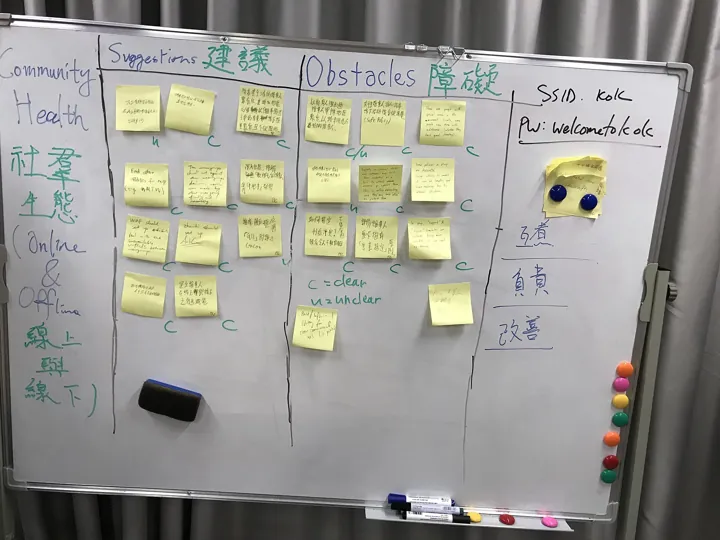
- Description
- Un tableau blanc couvert de notes adhésives réparties en colonnes
- Source
- 無聊龍 · original page
- Licence
- CC0 Public domain
 Scrum in Practice
You will know how to maintain a living Product Backlog, write testable user stories (INVEST, acceptance criteria), and split them vertically.
In brief
- You will know how to maintain a living Product Backlog, write testable user stories (INVEST, acceptance criteria), and split them vertically.
- You will know how to estimate in three ways (points, relative size, flow / #NoEstimates), use velocity without misusing it, and read flow metrics.
- You will know how to distinguish Definition of Ready and Definition of Done, facilitate planning and a retrospective that changes something.
- You will know how to recognize anti-patterns (ScrumBut, Scrumerfall…), set up a team, work remotely, scale, and contract.
- You will leave with a list of 30 pitfalls and a /5 rating grid.
- The framework itself is in Scrum, the framework (Scrum Guide 2020); BI application is in Scrum Applied to Data, BI, and the Datamart.
On this page
- 🟢 Novice — The Product Backlog Day to Day
- 🟢 Novice — User Stories and INVEST
- 🟢 Novice — Acceptance Criteria
- 🟢 Novice — Splitting a story
- 🟡 Practice — Refinement (refinement)
- 🟡 Practice — Estimation: points, flow, #NoEstimates
- 🟡 Practice — Velocity and its abuses
- 🟡 Practice — Useful metrics
- 🟡 Practice — Definition of Ready vs. Definition of Done
- 🟡 Practice — Planning a Sprint
- 🟡 Practice — The retrospective that actually changes something
- 🟡 Practice — Setting up a Scrum team
- 🔴 Expert — Anti-patterns and ScrumBut
- 🔴 Expert — Remote Scrum
- 🔴 Expert — Scaling Up
- 🔴 Expert — Scrum and contracts
- 🔴 Expert — Thirty pitfalls
- Metrics: ratings /5
- AI contribution
- See also
Level: 🟢→🔴
🟢 Novice — The Product Backlog Day to Day#
The Product Backlog is the ordered list of everything that could improve the product (framework: Scrum, the framework (Scrum Guide 2020)). In practice, it includes features, fixes, technical improvements, experiments/spikes, and operations work. It is neither an unlimited idea warehouse nor a requirements specification.
What a good backlog looks like: “DEEP”#
Roman Pichler and Mike Cohn popularized the mnemonic DEEP:
| Letter | Property | In practice |
|---|---|---|
| Detailed appropriately | Detailed in proportion to proximity | Top items are fine-grained and ready; bottom items are large and vague |
| Emergent | Emergent | It evolves: items are added, removed, reordered |
| Estimated | Estimated | Top items have a size; others have an order of magnitude |
| Prioritized (ordonné) | Ordered | A strict order at the top, not three “high/medium/low” levels |
Item types and mix#
| Type | Data example | Risk if missing |
|---|---|---|
| Feature | “Display revenue by sector” | No visible value |
| Defect | “The total differs from the source by 0.3%” | Loss of trust |
| Debt / technical | “Replace the temporary table with an indexed table” | Loss of velocity |
| Spike / exploration | “Assess reliability of the customer code field” (timeboxed) | Late surprise |
| Operations / support | “Rerun overnight consolidation after an incident” | The team gets overwhelmed without saying it |
Explicitly reserve a share of capacity for debt, defects, and operations (common order of magnitude: 10 to 30%, to be calibrated to your situation), rather than stealing it from “real work.” A team that has only features in its backlog accumulates invisible debt.
Does the Product Owner “write” or “own”?#
The PO is accountable for the backlog, but does not have to write everything. Developers, the business, and the SM can propose items; the PO sorts, orders, and says no. A backlog managed like an inbox for requests is a symptom: ordering means giving things up.
The backlog graveyard. Symptom: 600 items, including 450 older than a year. Cause: no one dares delete. Remedy: an expiration policy (any item untouched for N months and not prioritized is archived; if it is truly important, it will come back). A short backlog is a usable backlog.
🟢 Novice — User Stories and INVEST#
A user story describes a need from the user’s point of view, briefly, as an invitation to conversation. Ron Jeffries summarized the “3 Cs”: Card (a card, not a contract), Conversation (the real content is in discussion), Confirmation (acceptance criteria). It is not in the Scrum Guide (see what the Guide does not say).
Common template:
As a <role>,
I want <capability>,
so that <benefit>.
“As a district manager, I want to see my revenue by customer and by month within my scope, so that I can prepare my weekly visit.” The so that is the most useful part: it carries the value and makes it possible to propose cheaper alternatives.
The INVEST criterion (Bill Wake)#
| Letter | Quality | Quick test | Counterexample |
|---|---|---|---|
| Independent | Independent from others (as much as possible) | Can it be delivered without waiting for another story? | “Page B” requires unfinished “page A” |
| Negotiable | Negotiable | Can the details be discussed? | Specification frozen like a contract |
| Valuable | Provides value to a user or the business | Who benefits from it? | “Create table X” (pure technical task) |
| Estimable | Estimable | Does the team have enough clarity? | “Do AI” |
| Small | Small: fits in one Sprint, ideally a few days | Is it a few days of work? | Three-month epic |
| Testable | Verifiable | Can we say unambiguously whether it is done? | “The report must look nice” |
The case of technical and data stories#
“Valuable” is tricky for infrastructure work: loading a fact table, optimizing an index. Two schools:
- Avoid purely technical stories: carry them through a value story (“see revenue by customer” includes loading the fact table). Value is pulled downward by usage.
- Allow technical items that are explicitly justified (debt, risk, prerequisite), but keep them rare, small, and tied to an objective.
This tension is central in BI; it is addressed in Scrum Applied to Data, BI, and the Datamart. Other forms besides “As a”: Job Stories (“when [situation], I want [motivation], so I can [expected outcome]”), use cases, hypotheses (“we believe that…”). The form does not matter as long as the why and the confirmation are there.
🟢 Novice — Acceptance Criteria#
Acceptance criteria bound a story: what must be demonstrated to call it complete for that story. They are distinct from the Definition of Done, which applies to all stories (see DoR vs DoD).
Two common forms:
| Form | Example |
|---|---|
| List of rules | “Revenue is before tax; the period is the calendar month; a customer with no sales appears at 0” |
| Given-When-Then (Gherkin / BDD) | Given a customer with two invoices in March When I display March Then displayed revenue is the sum of the two pre-tax amounts |
Feature: Monthly revenue by customer
  Scenario: Customer with two invoices in the month
    Given a customer "C-100" with invoices 1,200.00 and 300.00 in March 2026
    When I display March 2026 revenue for "C-100"
    Then the displayed value is 1,500.00
  Scenario: Customer with no sales
    Given a customer "C-200" with no invoice in March 2026
    When I display March 2026 revenue
    Then "C-200" appears with 0.00
Scenarios translated into tests (SQL, DAX, comparison query) become executable regression tests run at every release — the basis for number testing. See Testing and Reliability of Numbers.
Three to seven criteria per story; beyond that, the story is too large. Each criterion is binary (true/false) and phrased from the observer’s point of view. Always include an edge case (empty, duplicate, null value, large volume, accent/language).
Implementation criteria in disguise. “The table is indexed on X” is not an acceptance criterion: it is a solution. Symptom: the team no longer has technical freedom. Remedy: describe observable behavior (“the query responds in under N seconds on target volume”) and leave the how to the Developers.
🟢 Novice — Splitting a story#
A story that's too large doesn't fit in a Sprint, can only be tested at the end, and hides uncertainty. Splitting is the most valuable refinement move.
The principle: the vertical slice#
A vertical slice goes through all layers (source → transformation → model → reporting) to deliver a small piece of usable value. The opposite is the horizontal slice: “the entire extraction layer first, then the entire model, then all reports,” which delivers nothing usable until the end.
Nine splitting patterns (inspired by Richard Lawrence)#
| Pattern | Idea | BI example |
|---|---|---|
| Workflow steps | One step in the journey at a time | View → filter → export |
| Business rule variants | One rule at a time | Revenue before tax first, then tax included, then net of discounts |
| Interface variations | Simple version then richer one | Table, then chart, then map |
| Data | A subset of data | One pilot region before all others |
| Method | One way to get the result | CSV export before real time |
| Simple / complex | Simple case, then edge cases | Active customers, then merged, then deleted |
| Operations (CRUD) | Read before write | Display first |
| Non-functional qualities | Works first, then fast | Correct over 1 month, then optimized over 5 years |
| Spike | Reduce uncertainty first | Assess source quality, then build |
Split around risk and learning, not just size: the smallest slice that tests the riskiest assumption goes first (for example “one customer, one month, end to end, reconciled”). This is Alistair Cockburn's “walking skeleton”: a minimal but real vertical slice that forces early integration resolution.
🟡 Practice — Refinement (refinement)#
Refinement is continuous and the responsibility of the Scrum Team (see artifacts). In practice, most teams schedule one or two sessions per Sprint (30 to 90 minutes), in addition to ongoing clarification. The Guide mandates nothing: this is practice.
An effective session#
- Prepare: the PO selects 5 to 8 items from the top of the backlog and shares them in advance.
- Understand: the why first, then concrete examples (use numbers and real cases).
- Split: if we can't say “it fits in a Sprint,” we split it.
- Criteria: define acceptance criteria, edge cases, dependencies.
- Estimate (if estimating): quickly, relatively.
- Identify unknowns: is a spike needed? data to verify? expert to invite?
60-minute session. Item: “Add customer segment to the dashboard.” Questions: where does the segment come from? does the source already provide it? historized or current value? what to do with customers without a segment? multilingual? Conclusion: three sub-items (expose the field in the integration layer; add the dimension and relationship; display and filter) plus a half-day spike on field coverage. Without this session, the item would have been discovered as-is during Planning.
How much “ready” backlog?#
A benchmark: about two Sprints worth of ready items at the top of the backlog, no more (obsolescence, waste), no less (improvised Planning). If the top of the backlog depends on external answers (business trade-offs, source access), start pursuing them early, because wait time is the blocker, not size.
🟡 Practice — Estimation: points, flow, #NoEstimates#
Estimation is a decision tool, not a commitment. Its goal is to forecast (by what date, with how much scope) and to inform trade-offs (value/effort ratio). The Guide only says that Developers size the work.
1. Story points#
We measure relative effort (complexity, uncertainty, volume), not hours, using a discrete scale (modified Fibonacci: 1, 2, 3, 5, 8, 13, 20…) to reflect increasing uncertainty.
| Technique | Principle | Advantages | Limits |
|---|---|---|---|
| Planning poker | Everyone reveals their card at the same time; differences are discussed | Avoids anchoring, reveals assumptions | Time-consuming; discussions on the number rather than the item |
| Affinity / T-shirt (XS–XL) | Sort into relative buckets | Fast on a large backlog | Imprecise; conversion must be defined |
| Baseline | Compare with a reference story | Consistent over time | Requires a stable reference |
| Item count (flow) | Count items, without sizing | Very simple (see below) | Requires similarly sized items |
Converting points into hours. Symptom: “1 point = 4 hours”; points become a disguised stopwatch. Cause: need to reassure management. Remedy: points are team-specific; don't convert them, use observed velocity (points per Sprint) as the only bridge.
2. Flow-based forecasting (without points)#
Instead of estimating each item, measure throughput (number of items completed per period) and cycle time (time between “started” and “done”). Assumption: if items are split to roughly the same size, counting is enough.
Probabilistic forecasting by Monte Carlo simulation: randomly sample from throughput history to simulate the future N times, and read percentiles instead of a single date.
(Illustrative values, order of magnitude.) Advantages: no point debates, few estimation meetings, honest result on uncertainty. Limits: requires history, similarly sized items, and a stable system.
3. #NoEstimates#
A movement launched by Woody Zuill and Vasco Duarte, according to which effort estimation can be reduced or removed: split into small items, measure throughput, forecast by counting, and focus on decision-making (continue or not) rather than precision. It's not “never forecast” but “don't waste time estimating what can be measured.” A common criticism: decision-makers want a date and a cost before starting; the answer is a range and reassessment milestones.
| Context | Recommended approach |
|---|---|
| New team, new backlog | Points or T-shirt to calibrate; measure throughput in parallel |
| Stable team, small items | Counting + cycle time; Monte Carlo |
| Contractual scope commitment | Range estimate at framing + reassessment milestones |
| Production / maintenance in continuous flow | Cycle time, SLE (Service Level Expectation, “85% of items in under N days”) |
Estimating data work: specifics#
- Data volume and uncertainty: effort depends less on lines of code than on the state of the source (quality, documentation). The same item “add a field” can be 1 hour or 3 days depending on whether the data exists cleanly. Hence the value of a prior spike (Scrum Applied to Data, BI, and the Datamart).
- Machine time: a consolidation that takes hours is not work time, but it does limit test cadence. Estimate both effort and processing delay.
🟡 Practice — Velocity and its abuses#
Velocity is the sum of the points for Done items (compliant with the DoD) during a Sprint. A rolling average over three to five Sprints is used to forecast Sprint capacity or the delivery date of an estimated backlog.
Legitimate use: mid-term forecasting by the team itself; detection of drift (sudden drop: issue to investigate, not punish); Sprint Planning calibration.
| Abuse | Consequence | Remedy |
|---|---|---|
| Velocity target (“+10% every quarter”) | Point inflation (Goodhart's law) | Never set a velocity target |
| Comparing teams | Points are relative to one team | Compare on outcomes (lead times, value) |
| Evaluating individuals by velocity | Gaming, loss of collaboration | Velocity is collective, period |
| Counting “almost done” | Distorts the metric | An item is Done or it does not count |
| Velocity as proof of value | Productivity confused with value | Measure outcomes |
| Converting into man-hours | Stopwatch in disguise | See estimation |
Velocity rising while value stagnates. Symptom: the chart looks great, stakeholders are dissatisfied. Cause: points measure activity, and the team learned to produce them. Remedy: track outcome (adoption, satisfaction, incidents), quality (escaped defects, numeric discrepancies), and cycle time.
🟡 Practice — Useful metrics#
Few metrics, read as trends, never as individual targets. Overall software delivery metrics (DORA) are presented in CI/CD; management reporting in Project Metrics and Reporting.
| Family | Metric | What it says | Precautions |
|---|---|---|---|
| Flow | Cycle time | Time between “started” and “done” | Look at the distribution (percentiles), not the average |
| Throughput | Items completed per period | Comparable item sizes | |
| Work in progress (WIP) | Items in progress | The higher it rises, the longer lead time gets (Little's law) | |
| Age of in-progress items | Detects blocked items | More useful than the average | |
| Value | Adoption | Active users, frequency | Distinguish curiosity from actual use |
| Satisfaction | Short survey, internal NPS | Sample size, bias | |
| Business outcomes | Time saved, better decisions | Causal attribution is difficult | |
| Quality | Escaped defects | Defects found after delivery | Define “defect” (wrong data, perf, UX) |
| Acceptance testing discrepancies on numbers | Rate of unexplained discrepancies | Data-specific | |
| Debt | Open debt items, age | Subjective | |
| Team | Sprint Goal achievement | Achievement frequency | Goal must be well set; not 100% either |
| Completed retro actions | Continuous improvement effectiveness | Track closure rate | |
| Climate / psychological safety | Regular short questionnaire | Anonymity, no target |
Common visualizations: burndown (remaining Sprint work; used to spot drift, not punish), burnup (work completed and scope, avoids confusion when scope changes), cumulative flow diagram (CFD: reveals bottlenecks), cycle-time histogram, cycle-time scatterplot (items completed over time with percentiles).
The cumulative flow diagram is the most underused diagnostic tool: the width of the “in progress” band is WIP, its horizontal thickness is cycle time (Little's law made visible), and a sudden widening of a band signals a bottleneck (e.g., overloaded business acceptance testing). See Agile and Lean Methods (Manifesto, Kanban, XP, Lean, Shape Up, DSDM, SAFe, DevOps…) for Kanban.
🟡 Practice — Definition of Ready vs. Definition of Done#
| Definition of Ready (DoR) | Definition of Done (DoD) | |
|---|---|---|
| Status | Widespread practice, outside the Guide | Official commitment of the Increment |
| Question | “Is the item clear enough to enter a Sprint?” | “Is the item finished enough to be delivered?” |
| When | Before Planning | At the end of the work |
| Scope | One item (or one category) | Every item, every Increment |
| Risk | Becoming a bureaucratic gate | Remaining too weak, being bypassed |
A typical DoR: value understood; acceptance criteria written; dependencies known; estimable; fits in one Sprint; test data available. Use it as a question checklist (supports conversation), not as a contract that lets the team reject any imperfect item: the Guide does not define it, and an overly rigid DoR recreates predictive siloing (“you did not deliver a complete specification”).
A typical DoD for software: code reviewed; unit and integration tests passing; no known blocking defect; documentation up to date; automated deployment to the acceptance testing environment; acceptance criteria verified. For data, see DoD data.
“Variable-geometry” DoD. Symptom: “done except tests,” “done on the dev side.” Cause: delivery pressure. Remedy: an item that does not meet the DoD goes back to the backlog; never relax the DoD to save a Sprint (see Sprint Review for the role of transparency).
🟡 Practice — Planning a Sprint#
The conceptual flow is in Sprint Planning. Here is an operational template of 2 hours for a 2-week Sprint (durations are indicative; the Guide gives a maximum of 8 h for one month).
| Minutes | Step | Notes |
|---|---|---|
| 0–15 | Why: the PO presents context, proposes a candidate Sprint Goal | Adjust: the team must be able to believe in it |
| 15–30 | Capacity: availability, time off, planned support, dependencies | Convert into “available person-days” |
| 30–60 | What: select items taking velocity or throughput into account | Stop when the goal is covered with a margin |
| 60–105 | How: break down into tasks ≤ 1 day, identify risks | Create just enough tasks |
| 105–120 | Check: “Can we commit to this Sprint Goal?” | “Fist of five” test or other consent check |
Common-sense rules#
- Do not overload: target a realistic workload (for example 70–80% of gross capacity, order of magnitude); surprises always happen.
- Keep slack for support, debt, and defects.
- Plan stretch items: at the end of the list, “if we have time” items (without counting them in the commitment).
- The Sprint Goal is the contract; the item list is negotiable.
- If an item spills over: do not “automatically carry it over”; split it again and understand why.
Team of 5, 10-business-day Sprint. Gross capacity: 50 person-days. Deductions: 6 vacation days, 4 support days, 5 ceremony and coordination days. Net ≈ 35 person-days. History: about 1 item of 3 person-days per team-day… We select ~10–11 small items or 5–6 medium ones, never more, and keep one “bonus” item. (Illustrative figures.)
🟡 Practice — The retrospective that actually changes something#
The goal is described in Sprint Retrospective. Here's how to make it useful.
Typical structure (60 to 90 minutes for a 2-week Sprint)#
| Phase (Esther Derby and Diana Larsen model) | Purpose | Example activity |
|---|---|---|
| 1. Open | Set the frame, safety | Restate the rule (Norm Kerth's “Prime Directive”: everyone did their best with what they knew and the resources available to them) |
| 2. Gather data | Facts, events, feelings | Sprint timeline; flow charts |
| 3. Generate ideas | Understand root causes | “5 whys,” fishbone diagram |
| 4. Decide what to do | Choose 1 to 3 actions | Dot voting; criteria (impact, effort, control) |
| 5. Close | Thanks, retro evaluation | “+/Δ”: what worked / what to change in the retro |
Formats#
| Format | Idea | When |
|---|---|---|
| Start / Stop / Continue | Three columns | New team |
| Mad / Sad / Glad | Emotions | Need to vent, tensions |
| 4L (Liked, Learned, Lacked, Longed for) | Four columns | Variety |
| Sail / Sailboat | Wind (drivers), anchor (brakes), rocks (risks) | Big-picture view |
| Timeline | Event timeline | Sprint with many incidents |
| Data retro | Start from numbers: cycle time, defects, acceptance testing gaps | Mature, evidence-oriented team |
The five causes of a useless retro#
- No action or too many actions (>3) that are never tracked.
- Same topics every time, no progress: the cause is probably outside the team's control — the SM must escalate (see responsibilities).
- Lack of safety: the manager is in the room, nobody talks.
- Identical format forever: fatigue. Vary it.
- Actions with no owner or due date.
Open every retro with a review of previous actions; put at least one improvement action in the next Sprint's Sprint Backlog (the Guide explicitly allows this) so it counts toward capacity.
The venting retro. Symptom: the team complains, nobody acts. Cause: complaints about things the team does not control. Remedy: sort into circle of control / influence / concern; act on the first, ask for the second, record the third.
🟡 Practice — Setting up a Scrum team#
Prerequisites#
| Question | Expected answer |
|---|---|
| Is there an identifiable product (or service) with a Product Goal? | Yes, even provisional |
| A single Product Owner with authority and availability? | Yes; otherwise do not start |
| A stable and cross-functional team (even partial)? | Yes; avoid heavily fragmented part-time allocation |
| A sponsor who accepts self-management and transparency? | Yes; otherwise risk of decorative Scrum |
| Can stakeholders attend the Sprint Review? | Yes |
Startup sequence (4 to 6 weeks)#
| When | What is done |
|---|---|
| Week 0 | Kickoff workshop: vision, Product Goal, stakeholders, initial backlog, initial DoD (light but honest), operating rules |
| Sprint 1 | Short Sprint (1 week) to learn the rhythm; modest goal; carefully run retrospective |
| Sprints 2-3 | Stabilize: regular refinement, strengthened DoD, first flow metrics |
| Sprint 4 and beyond | Cruising rhythm; first trend measurements; adjust Sprint length |
Roles: combinations and sizes#
| Situation | Opinion |
|---|---|
| Combined PO + SM | Not recommended: structural tensions (value vs quality/process); as a last resort, watch out for blind spots |
| SM + Developer | Common and acceptable for teams ≤ 6; the SM keeps dedicated time for facilitation and impediments |
| SM across 2–3 teams | Possible with mature teams; otherwise too diluted |
| PO across 2 products | Rare and fragile; a PO must be available |
| Team of 2–3 people | Lightweight Scrum (one-week Sprints, short retros, clear DoD); spirit matters more than ceremony |
| Team of 10+ | Split into two teams on the same product |
Starting with the tool. Symptom: Jira or Azure DevOps gets configured for a month before there's a PO. Cause: the tool feels reassuring. Remedy: physical or simple board at startup; the tool comes when practices are stable. See Azure DevOps Server (formerly TFS) In Depth and Jira In Depth and Alternatives.
Training without dogma#
Training (SM, PO, Developers, stakeholders) is an investment, but on-the-ground coaching matters more than certification (PSM/PSPO from Scrum.org, CSM/CSPO from Scrum Alliance: their value varies by provider and trainer; they are signals, not guarantees of competence). Also train management: without sponsors who accept transparency, the team hits a ceiling.
🔴 Expert — Anti-patterns and ScrumBut#
ScrumBut (“Scrum, but...”) refers to partial or modified adoption that removes the very parts that expose problems (“we do Scrum, but we don't do retrospectives, because...” ). The term comes from Ken Schwaber and the “ScrumBut test.” This is not a judgment on flexibility: it is the loss of transparency Scrum is meant to produce.
| Anti-pattern | Symptom | Root cause | Remedy |
|---|---|---|---|
| Scrumerfall / water-scrum-fall | Upfront specification, dev sprints, final acceptance testing | Predictive governance unchanged | Integrate testing and acceptance testing into the Sprint; reconfigure governance |
| Mini-waterfall inside the Sprint | Analysis S1, dev S2, test S3 | Horizontal slices | Vertical slices (slicing) |
| Status-reporting Daily | Round-robin to the manager | Control | Goal-based format; manager outside the meeting |
| Absent PO / proxy | Unanswered questions; late arbitration | Understaffed role | Mandate and reserved time |
| PO committee | Conflicting priorities | Internal politics | Single PO; arbitration outside the team |
| SM as project manager | Assigns tasks, produces reports | Role misunderstood | Redefine: serve, coach, remove impediments |
| SM as secretary | Only schedules meetings | Reduced role | Expand to organization and improvement |
| Permanent Sprint 0 / hardening sprint | Sprint dedicated to “stabilizing” | Weak DoD, quality pushed later | DoD that includes testing; pay back continuously |
| No Sprint Goal | Sprint = list of tickets | No direction | Start Planning with the “why” |
| Backlog ordered by the loudest voice | Last arrival jumps the line | PO without authority | Explicit ordering criteria |
| Automatic carryover of items | The same items slide from Sprint to Sprint | Insufficient slicing, optimism | Re-slice, reduce commitment |
| Imposed estimates | The PO or manager “negotiates” points | Pressure | Developers estimate, period |
| Velocity as a target | Inflated points | Goodhart | Remove the target |
| Team split into silos | Dev, test, data don't talk | Structure | Cross-functional team |
| Review = demo without feedback | No decision after the review | Wrong invitation list | Key stakeholders; backlog reordered live |
| Retro without follow-through | Same complaints | No action | 1–3 tracked actions |
| Team size > 10 | Endless Daily | Fear of splitting | Split into teams around the same product |
| Temporary team | People rotating in and out | Project-based management | Stable teams, work comes to the team |
| Ceremony without empiricism | “We do the meetings” but change nothing | Cargo cult | Return to the three pillars |
A quick test: “What did we change last month as a result of what we observed?” If the answer is “nothing,” we're doing theater. Adaptation is proof that the cycle works.
When to abandon Scrum#
Scrum is not always the right tool. Signals: support / maintenance work with continuous flow and priorities that change hourly (Kanban is a better fit); a one-person team; strong regulatory constraints where documentary evidence is paramount (hybrid); no real PO. Changing method is a legitimate move, not a failure. See Choosing Your Method and Hybridizing and the Comparison of Project Management Methods.
🔴 Expert — Remote Scrum#
Distributed or hybrid teams have become common. Scrum works remotely, but certain implicit conditions (spontaneous communication, shared board) must be made explicit.
| Challenge | Adaptation practice |
|---|---|
| Lost informal communication | Open team channel, shared work slots, persistent “virtual room” |
| Time zones | Protected overlap window for Daily/Planning; asynchronous events when possible; limit to a 3–4 hour offset if you want true synchronous Scrum |
| Transparency | Online board, accessible backlog, everything in writing |
| Daily | Asynchronous text can be used as a complement, not instead of a real conversation |
| Workshops (refinement, retro) | Whiteboard tools, retro with inputs prepared in advance to avoid noise |
| Visual fatigue | Shorter events, breaks, no full day on video calls |
| Relationships | Periodic in-person meetups (kickoff, quarterly) |
| Psychological safety | More fragile remotely: check in regularly, value written input |
Define a remote team working agreement: availability hours, expected response time, channel usage (urgent / non-urgent), meeting rules (camera, speaking turns), and review it in retro.
Replacing conversation with tickets. Symptom: questions asked in comments, replies within 24 hours, misunderstandings. Cause: pursuit of asynchrony. Remedy: a 10-minute call solves what 20 comments do not clarify; then record the decision.
🔴 Expert — Scaling Up#
When the product outgrows what a team of fewer than ten people can handle, you add teams on the same product. Principle of caution: do not scale before you have one team that works; multiplying a bad practice multiplies debt.
| Framework | Idea | Highlights | When |
|---|---|---|---|
| Scrum of Scrums | Meeting of team delegates to address dependencies | Lightweight, informal, can become a coordination committee | 2 to 5 teams; moderate dependencies |
| Nexus (Scrum.org) | Guide extension: a Nexus Integration Team, one backlog, one integrated Increment | Stays close to Scrum; 3 to 9 teams | Single product, critical integration |
| LeSS (Large-Scale Scrum, Larman and Vodde) | Scrum “at scale” without adding layers: one PO, one backlog, feature teams | Requires deep reorganization; few added roles | Organization ready to rethink its structure |
| SAFe (Scaled Agile Framework) | Prescriptive multi-level framework (team, program, portfolio), “Program Increment” cadence | Widely adopted in large enterprises; criticized for heaviness | Large organization, need for portfolio governance |
| Spotify (the “squads” model) | Cultural inspiration (squads, tribes, guilds) | Not a framework; Spotify itself has distanced itself from it | Source of ideas, not a recipe |
Copying a model without understanding its context. Symptom: importing the words (tribes, trains) without the principles. Cause: desire for a ready-made solution. Remedy: start from real dependencies between teams and address their root cause first (architecture, ownership) rather than adding a coordination layer — Conway’s law applies (Project Management Fundamentals).
Reduce dependencies rather than coordinate them#
The three levers in order of effectiveness: (1) eliminate the dependency (component teams aligned to value, domain-level data autonomy); (2) make it explicit and planned (dependency map, interface contracts); (3) coordinate it (meetings, bridges). For a BI team consuming a source managed elsewhere, lever 2 takes shape as a data contract — see Data Sources and Contracts.
🔴 Expert — Scrum and contracts#
A contract with fixed scope, fixed price, fixed date does not align well with a framework where scope varies. Options, from most rigid to most flexible:
| Model | Principle | Advantages | Risks |
|---|---|---|---|
| Fixed-price, fixed-scope | Frozen specifications | Certain budget for the client | Change = amendment; cut quality; constant tension |
| Fixed price, variable scope (“fixed price, variable scope”) | Price and date fixed; content prioritized and adjusted Sprint by Sprint | Budget predictability; enables agility | Requires trust and a prioritized backlog; define a minimum baseline |
| Per-increment / per-Sprint fixed price | Price per team Sprint | Flexibility; possible exit points | Client bears scope risk |
| Time and materials / time spent | Payment for time | Maximum flexibility | Little incentive for efficiency; oversight is essential |
| Fixed price with exit options | Contract split into phases with stop rights at each milestone | Limits client risk | Negotiate stop conditions |
| Value sharing | Compensation tied to outcomes | Strong alignment | Outcome measurement, attribution |
Useful clauses: definition of a baseline (“Minimum Viable Product”) and target scope; right to reorder the backlog at no cost within a defined framework; Definition of Done attached to the contract (contractualized quality); client participation (client-side PO); exit conditions at each Sprint or milestone; code and documentation ownership.
Contract for delivery and review cadence and quality (DoD), not for an exhaustive feature list. The value for the client is being able to stop when marginal gain falls below marginal cost.
For a company delivering its product to clients as versioned installation kits, contracting focuses on the version and the delivery schedule; changes to the internal backlog do not need to be contracted client by client. See Choosing Your Method and Hybridizing for alignment with version governance.
🔴 Expert — Thirty pitfalls#
Format: pitfall → consequence → remedy. Many are detailed above; the list serves as an audit checklist (to use in a quarterly retrospective).
Around the backlog and stories
- Backlog graveyard → noise, loss of focus → expiration and deletion.
- Technical-task stories without value → false progress → link to usage or justify explicitly.
- Missing acceptance criteria → conflictual acceptance testing → write them before the Sprint.
- Criteria = solution → team loses autonomy → describe observable behavior.
- Stories too large → “almost done” items at the end → vertical slicing.
- Estimating the entire backlog → waste → estimate only the top.
- Three-level priorities (high/medium/low) → everything is “high” → strict ordering.
Around the Sprint and events
- Sprint without a goal → catch-all list → Sprint Goal first.
- Overcommitment → recurring failure, demotivation → realistic capacity, buffer.
- Scope change during Sprint without renegotiation → loss of trust → go through the PO; the goal takes priority.
- Automatic carryover of items → false rhythm → re-splitting.
- Daily over 15 minutes → detailed topics in-session → “parking lot,” then separate conversation.
- Review without stakeholders → no feedback → invite, prepare.
- Retro with no action or follow-up → cynicism → 1–3 actions, owners.
- Sprint too long → slow learning loop → shorten, split.
Around roles
- Absent PO → blockers and rework → mandate and dedicated time.
- PO dictating the technical solution → loss of quality and engagement → PO defines what/why, Developers define how.
- SM acting as project manager → passive team → servant role.
- Manager assigning tasks → end of self-management → let the team distribute work.
- Fragmented part-time team → context-switching costs → stable team.
Around quality and measurement
- Weak or variable DoD → accumulated debt → honest DoD, tightened in retro.
- Stabilization Sprint → deferred quality → integrate testing into the Sprint.
- Velocity as a goal → inflation → remove the target.
- Comparing teams → sterile competition → compare outcomes.
- Activity metrics (lines of code, tickets) → bad behavior → measure outcomes and flow.
- Denied technical debt → slowdown → dedicate part of capacity.
Around the organization
- Predictive governance left intact → Scrumerfall → adapt milestones and reporting (see Choosing Your Method and Hybridizing).
- Premature scaling → organizational debt → first, one team that works.
- Tool before practice → process frozen by the tool → practices first.
- Change not supported by leadership → return to old habits → sponsor who accepts transparency and self-management.
Cross-functional pitfalls across all methods are in Pitfalls and Good Practices in Project Management (Cross-Functional Synthesis).
Metrics: ratings /5#
Contextual expert assessments (see Rating). Context: team of 5–9 people, software or BI product with continuous evolution. This is about rating the practices in this file, not Scrum overall (see Scrum, the framework).
| Practice | Value delivered | Ease | Risk of misuse | Rationale |
|---|---|---|---|---|
| User stories + acceptance criteria | 4/5 | 4/5 | 2/5 | Clarifies the need; remains a conversation tool |
| Vertical slicing | 5/5 | 2/5 | 1/5 | Very strong lever, but requires architectural discipline |
| Planning poker / points | 3/5 | 4/5 | 4/5 | Useful at startup, easily misused |
| Flow / Monte Carlo forecasting | 4/5 | 3/5 | 2/5 | Honest about uncertainty, requires historical data |
| Velocity | 2/5 | 5/5 | 5/5 | Simple, but dangerous outside internal use |
| Solid Definition of Done | 5/5 | 3/5 | 1/5 | Transparency and quality; rarely too strict |
| Definition of Ready | 2/5 | 4/5 | 4/5 | Memory aid; easily becomes a gate |
| Well-run retrospective | 5/5 | 3/5 | 2/5 | Improvement engine; quickly empty without actions |
| Remote Scrum | 3/5 | 3/5 | 3/5 | Feasible with explicit rules; more fragile |
| Scaling (Nexus/LeSS/SAFe) | 3/5 | 1/5 | 4/5 | Useful when necessary, very costly otherwise |
AI contribution#
AI speeds up text (stories, criteria, notes) and flow data analysis; it has neither knowledge of your domain nor accountability.
| Use case | Gain | Risk | Maturity | Prerequisites | Safeguards |
|---|---|---|---|---|---|
| Turn workshop notes into INVEST stories | 4/5 | 3/5 | 4/5 | Anonymized notes | Review by PO and team; do not short-circuit conversation |
| Generate Given-When-Then scenarios and edge cases | 4/5 | 3/5 | 4/5 | Precise business rules | Validate each scenario; check consistency with real figures |
| Propose vertical slicing for an epic | 3/5 | 3/5 | 3/5 | Known architecture | The team decides; AI ignores your constraints |
| Monte Carlo simulation / cycle time analysis (generated script) | 4/5 | 2/5 | 4/5 | Clean ticket export | Verify the script; quality of input data |
| Retrospective summary, theme grouping | 4/5 | 3/5 | 4/5 | Verbatims without names | Confidentiality; do not overinterpret |
| Point estimation “in place of” the team | 1/5 | 4/5 | 2/5 | — | Against the principle: Developers estimate |
| Detect anti-patterns in ticket data (blocked items, slippage) | 3/5 | 2/5 | 3/5 | Tool history | Interpret with the team; no individual sanctions |
Prompt examples:
- “Here is a story and its criteria. List the missing edge cases (null values, duplicates, multiple languages, high volume) and propose a Given-When-Then scenario for each.”
- “Here is the export of start/end dates for the last 80 tickets. Calculate cycle time percentiles and propose an SLE. Show the script.”
What AI does not replace: conversation with the user, priority decisions, understanding hidden business rules, the accountability of the DoD. Specific risk: plausible but wrong stories and criteria (invented business rules) that go unnoticed because they are well written; and the hidden debt of abundant backlogs that no one owns. See AI for Project Management (General Then Data) and AI in Planning and Version Control Tools.
See also#
- Framework: Scrum, the framework (Scrum Guide 2020); foundation: Project Management Fundamentals.
- Application: Scrum Applied to Data, BI, and the Datamart; dedicated methods: Methods Specific to Data Projects.
- Alternatives and hybridization: Agile and Lean Methods (Manifesto, Kanban, XP, Lean, Shape Up, DSDM, SAFe, DevOps…), Comparison of Project Management Methods, Choosing Your Method and Hybridizing.
- Delivery: CI/CD: Continuous Integration and Continuous Delivery, CI/CD for data: foundations, datamarts, pipelines, and reports.
- Tools: Project Planning and Tracking Tools: Overview, Azure DevOps Server (formerly TFS) In Depth.
- Matrices: Planning and Estimation (PLA), Scope and Requirements Management (PER), Quality and UAT (QUA).
- Glossary: Glossary.
✻ Written by Claude Sonnet 5.5
