

- Description
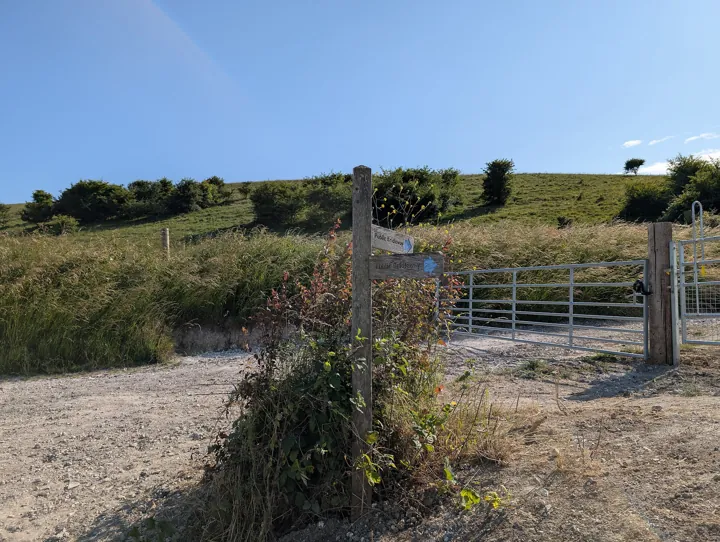
- Un poteau de signalisation de sentier à l'entrée d'un chemin de colline
- Source
- Andy Li · original page
- Licence
- CC0 Public domain
 Reading Paths
This section is too broad to read in one sitting. This file offers paths by profile (novice, practitioner, expert, data project manager, BI developer, trainer) and by duration…
In brief
This section is too broad to read in one sitting. This file offers paths by profile (novice, practitioner, expert, data project manager, BI developer, trainer) and by duration (one day, one week, one month). Each step is a link; the times shown are orders of magnitude for attentive reading, excluding exercises.
Level: 🟢→🔴
Choose your path#
| Your situation | Path |
|---|---|
| I'm discovering the profession or discipline | Novice |
| I practice and want to equip and industrialize | Practitioner |
| I decide, arbitrate, and train | Expert |
| I lead a data project | Data project manager |
| I build Power BI models and reports | BI developer |
| I'm preparing a training session or workshop | Trainer |
In all cases, keep the Glossary open and read RATING before the first comparison.
Paths by profile#
🟢 Novice#
Goal: understand vocabulary and the main families of methods and tools. Duration: about 1 to 2 weeks at one hour per day.
- Glossary — browse it, don't memorize it.
- Project Management Fundamentals
- Scrum Framework, then Scrum in Practice
- Version Control Systems Overview
- Git In Depth, 🟢 sections only
- Overview: SQL Server in SaaS
- Cross-Cutting Power BI Best Practices, 🟢 sections
A novice progresses faster by building: create a repository, two branches, and one merge with a conflict before reading the VCS comparison.
🟡 Practitioner#
Goal: choose your tools, structure your flow, industrialize. Duration: 2 to 4 weeks.
- Scrum Applied to Data, BI, and Datamarts
- Project Management Methods Comparison, then Choosing and Hybridizing Methods
- Git vs TFVC: Compare, Migrate, and Coexist, Branching Strategies
- Version Control for Data: SQL and Power BI
- CI/CD: Continuous Integration and Delivery, then CI/CD for Data: Databases, Datamarts, Pipelines, and Reports
- SQL Server in SaaS — Architecture and its pitfalls
- Power BI Reporting Project Checklists
🔴 Expert#
Goal: arbitrate, measure, and raise a team's maturity. Duration: 1 month, alongside day-to-day work.
- Methods Specific to Data Projects and Project Management Pitfalls and Best Practices (Cross-Cutting Summary)
- The four maturity matrices: read the README files first (PI, DL, PD, BI)
- Self-Assessment with Maturity Matrices for the team, then a progress plan on 2 or 3 topics
- Comparison — OneLake/Fabric vs Managed SQL Server for Power BI Reporting and the two architecture series (OneLake, SQL Server)
- Cross-Cutting Overview — AI Contribution
Data project manager#
Goal: scope, plan, deliver, drive adoption. Duration: 1 to 2 weeks.
- Project Management Fundamentals then Methods Specific to Data Projects
- Scoping, Value, and Use Cases
- Data Quality and UAT and Business Validation
- Adoption and Change Management
- Risk Management (RSK) and Planning and Estimation (PLA)
- Planning Tools Comparison, Project Metrics and Reporting
- Power BI Reporting Project Checklists
BI developer#
Goal: robust models, solid DAX mastery, security, industrialization. Duration: 2 to 3 weeks.
- Semantic Model and DAX Measures and Calculations
- RLS Security and Access
- Performance and Data Volume
- Report Versioning and Industrialization with VCS for SQL and Power BI
- Testing and Metrics Reliability
- Cross-Cutting Power BI Best Practices
- Accessibility and Multilingual Support
- CI/CD for Data: Databases, Datamarts, Pipelines, and Reports
Trainer#
Goal: build a workshop or curriculum from this section. Duration: half a day of prep per module.
- Choose the target level (🟢, 🟡, or 🔴): sections are tagged, so they can be split up.
- Use the 🧪 examples as exercises and the ⚠️ pitfalls as case studies.
- Run self-assessment in a workshop: each participant rates one topic, then evidence is compared.
- Anchor the module in comparisons: methods, tools, architectures; ask trainees to redo them with their own weightings.
- Additional sources: Bibliography and Resources.
Never present ratings as truths: have them challenged. Learning happens through reasoned challenge.
Paths by duration#
In 1 day (about 6 hours of reading)#
| Time slot | Reading |
|---|---|
| Morning (2 h) | Project Management Fundamentals · Project Management Methods Comparison · Scrum Applied to Data, BI, and Datamarts |
| Midday (1 h) | Version Control Systems Overview · Git vs TFVC: Compare, Migrate, and Coexist |
| Afternoon (2 h) | CI/CD for Data: Databases, Datamarts, Pipelines, and Reports · Comparison — OneLake/Fabric vs Managed SQL Server for Power BI Reporting |
| End of day (1 h) | Rating: How to Read Scores, Ratings, and Legend, then 1 matrix topic of your choice to see what measurement looks like |
In 1 week#
| Day | Folder | Files |
|---|---|---|
| 1 | Project management | 01, 02, 03, 04 |
| 2 | Project management | 05, 06, 08, 09 |
| 3 | Tools | Overview, Git, TFVC, Git vs TFVC, branches |
| 4 | Tools and CI/CD | VCS and SQL/BI, Azure DevOps, CI/CD, Data CI/CD |
| 5 | Power BI Reporting | README, OneLake, SQL Server, comparison, checklist |
In 1 month#
| Week | Program |
|---|---|
| 1 | Project management, files 01 to 09 (folder README) |
| 2 | Tools (files 01 to 12, README) |
| 3 | Power BI Reporting, files 01 to 11, alternating OneLake series and SQL Server series |
| 4 | Maturity matrices: read the four README files, perform self-assessment on one matrix, choose 2 topics to improve, plan |
Reading without practicing. Symptom: you retain vocabulary but not reflexes. Remedy: at the end of each week, apply just one lesson in your real project (a branching rule, a definition of “done,” a reconciliation test).
Short thematic paths#
| Topic | Path |
|---|---|
| Move from TFVC to Git | Git vs TFVC: Compare, Migrate, and Coexist → Branching Strategies → VCS and SQL/BI → DL Matrix: version control |
| Improve metrics reliability | Data Quality → Testing and Metrics Reliability → Business acceptance testing |
| Automate delivery | CI/CD: Continuous Integration and Delivery → CI/CD for Data: Databases, Datamarts, Pipelines, and Reports → DL Matrix: CI/CD → DataOps |
| Choose a reporting architecture | OneLake + SaaS Mobile Apps: Overview → SQL Server in SaaS — Overview → Comparison |
| Introduce AI | AI for Project Management (General, Then Data) → AI in Planning and Version Control Tools → Cross-Cutting Overview — AI Contribution |
How to measure your progress#
- After each path, write down three decisions you will make differently. If the list is empty, reread the ⚠️ callouts.
- Perform self-assessment at the start, then every six months: the score changes slowly, and that's normal.
- Avoid comparing your score with another team's score (see Goodhart's law).
See also#
- Read First README · Rating: How to Read Scores, Ratings, and Legend · Glossary · Portal
- Bibliography and Resources
✻ Written by Claude Sonnet 5.5
